
← Back To Blog
AI Sales Assistant Software: A Practical Guide

You've got the job tab open, the brief looks straightforward, and the proposal is already half-written in your head. Then a few minutes pass, the client starts reviewing submissions, and the one thing you can't recover is time. On Upwork and other fast-moving channels, the deal often goes to the person who replies cleanly, quickly, and consistently, not the person who wrote the most polished pitch.
AI Sales Assistant Software exists to close that gap. It isn't a magic revenue switch, and it won't rescue a weak offer, but it can keep your pipeline from stalling because someone was asleep, in another time zone, or buried in other work. The category matters because the market is no longer niche, Persistence Market Research projects the global AI sales assistant software market at US$3.2 billion in 2026 and US$14.2 billion by 2033, which tells you buyers are spending real money on speed, follow-up, and automation that moves conversations forward.
The Moment a Faster Reply Wins the Deal
A solo web developer checks her phone in the morning and sees a posted Upwork job she could ship in her sleep. She writes a careful proposal, makes it specific, and waits. By the time she refreshes again, three faster bidders have already filled the interview slots, and the client has moved on.
That's the part people miss when they compare tools only by feature lists. The winning variable isn't creative copy, it's response speed and consistency. Upwork's responsiveness tag rewards freelancers who reply within 24 hours, and Upwork's own mechanics make reply behavior visible through proposal insights and stats dashboards, so timing isn't theoretical, it's measurable.
A practical AI sales assistant sits in front of that clock. It watches the feed, drafts a contextual proposal, pulls relevant portfolio proof, and queues follow-up before the opportunity cools. In that setup, the human isn't staring at notifications all day, the human is reviewing only the leads that deserve attention.
Practical rule: if the channel rewards speed, automate the first pass and keep a human on the final send.
This is why the category gets results in places where timing matters more than clever positioning. Most deals on time-sensitive channels are lost because the team replied late, followed up inconsistently, or went dark across time zones. The whole point of AI sales assistant software is to shrink that gap before it becomes lost revenue, and this practical breakdown on shortening the sales cycle lines up with that reality.
What AI Sales Assistant Software Actually Does
The useful way to think about AI sales assistant software is as a layer between your data sources and the next action a seller should take. It doesn't replace the workflow, it removes the dead time between discovering an opportunity and doing something useful with it.
Prospecting and monitoring
First, it watches for opportunities. That can mean inboxes, job boards, CRM queues, or LinkedIn triggers, depending on where your leads live. If a lead sits untouched for too long, the assistant can flag it, draft a response, or route it to the right owner before the opportunity ages out.
Research and enrichment
Next, it gathers context. Strong assistants pull from prior conversations, firmographic details, and intent signals so the seller doesn't walk into a reply blind. The value here is not more data, it's better preparation in less time.
Drafting and sequencing
Then comes the writing layer. The software suggests messages, variants, and follow-up sequences, while tone controls keep the outreach closer to your brand voice. If you want a broader discussion of automated prospecting workflows, this guide to AI for sales prospecting is a useful companion.
Real-time replying and analytics
Some systems move further and draft responses inside live chats or proposal threads within seconds, using retrieved context instead of generic language. After that, the analytics layer closes the loop with reply-rate dashboards, stage tracking, and flags that show what's working. For a practical framing of how to do this without turning outreach into noise, B2B sales automation without spam is a smart read.
How It Differs From Chatbots and Human SDRs
The biggest mistake buyers make is treating every automated response tool as the same thing. They aren't. AI sales assistant software is built to participate in the sales motion, while a chatbot usually just answers questions on a site and a human SDR brings judgment, nuance, and relationship management.
The autonomy spectrum
At the low end, you get assistive tools that suggest what to say. In the middle, copilot systems draft and wait for approval. At the high end, autonomous tools send messages and report outcomes. That spectrum matters because the risk profile changes as you move right.
SDRs versus software
A human SDR can handle messy objections, spot a hidden stakeholder, and improvise when the conversation goes sideways. Software can't match that well yet, but it can cover more hours, respond instantly, and keep execution consistent when a team is overloaded or spread across time zones. The trade-off is simple, software is stronger on coverage and speed, humans are stronger on judgment and recovery.
Chatbots versus sales assistants
Generic chatbots usually wait for a visitor to click a widget or ask a question. Sales assistants connect to email, CRM, and platform APIs so they can send actual messages, log real outcomes, and continue a sequence. That deliverability layer matters, because any tool that ignores sender reputation, throttling, or platform-specific timing can damage an account faster than a junior rep ever could.
DimensionAI Sales AssistantHuman SDRGeneric ChatbotSales coverageAlways onLimited by working hoursOnly when triggeredContext usePulls from CRM and connected dataUses judgment and memoryUsually narrow, page-specific contextMessage sendingCan draft, queue, or send real outreachSends manuallyUsually does not conduct outbound outreachEscalationNeeds rules for human handoffHandles nuance directlyOften trapped in scripted flowsRiskCan over-automate if uncheckedInconsistent at scaleLow outbound risk, limited sales impact
A clean evaluation starts by asking where you need speed, where you need judgment, and where you need control. If a vendor cannot explain those boundaries clearly, the product is probably being marketed more broadly than it works in practice.
Choosing the Right AI Sales Assistant Platform
The right platform shows its value in the first few minutes of testing, not in a polished demo. I look for observable mechanics first, then I worry about marketing claims later.
Start with timing and output
Reply latency is the easiest place to separate strong tools from weak ones. If a platform can't draft a first response quickly, it won't help on channels where the opportunity window is short. For Upwork workflows, the tool should also generate a usable first-draft proposal fast enough that the job hasn't gone cold by the time a human reviews it.
Push on analytics and controls
You want more than a dashboard full of totals. Look for reply-rate decay, proposal-to-interview ratios, and the ability to see where the funnel breaks. Then ask how the product handles approval queues, confidence thresholds, tone controls, and fallback rules when it doesn't have enough context.
Practical test: load the demo with messy leads, not pristine sample records. Watch what breaks first.
Check integration depth and proof
A tool is only useful if it connects to the stack you already use. Gmail, Outlook, HubSpot, Pipedrive, LinkedIn, and the Upwork messaging layer matter more than abstract AI claims. If the vendor can't show raw screenshots, named accounts, and written service expectations, you're taking their word for it instead of verifying how it works.
Here's a simple buying filter.
CriterionWhat to measureMinimum barWhy it mattersSpeedDraft and response latencyFast enough to react inside the channel's reply windowSlow tools lose the opportunity before the sender sees itProposal timingTime from matching job to first draftDraft appears quickly enough for same-session reviewTiming is the mechanism, not decorationAnalytics depthReply-rate decay, stage movement, outcome trackingMetrics tied to live workflow stagesVanity numbers don't tell you what to fixIntegrationsEmail, CRM, messaging, marketplace accessFits the stack you already pay forWeak connections create manual cleanupHuman oversightApproval queues, fallback rules, tone controlsClear review path before risky sendsControl reduces brand and compliance mistakes
If you want a concrete example of a marketplace-native approach, Earlybird AI is one Upwork-focused option that connects to an account, drafts proposals, replies to leads, and supports agency workflows. That doesn't make it the only path, but it does show how specific the product category has become.
Applying It on Upwork as a Freelancer or Agency
A four-person agency running multiple niches doesn't lose work because the team lacks talent. It loses work because the right job arrives at the wrong hour, and no one is there to catch it. On Upwork, that delay is visible in the platform's own mechanics, including proposal counts, responses, and the stats that show how leads move from sent to viewed, interviews, and hires.
The most useful deployment is boring in the best way. A job matches saved filters, the assistant drafts a cover letter from approved case studies, inserts the most relevant portfolio proof, and sends it into a review queue or auto-sends under a cap. At the same time, the team stays on top of the responsiveness behavior Upwork already measures, instead of trying to outguess the marketplace.
What changes day to day is the work inside the agency. The founder stops writing boilerplate at midnight. The senior strategist stops babysitting inboxes and starts handling live calls, qualification, and pricing. That shift matters more than any generic productivity claim because it moves experienced people back into high-value conversations.
A useful implementation pattern is to treat the assistant as an Upwork-native operator, not a generic text generator. This guide to Upwork proposal automation is worth reading if you want a tighter picture of how bidding workflows get automated without turning the account into a spam machine.

The mechanical lesson is straightforward. Optimize the signals Upwork already rewards, response behavior, proposal timing, and client replies, instead of chasing vague efficiency. That's where the lift comes from, not from sounding more automated.
Measuring ROI and the Metrics That Matter
ROI gets real only after you stop measuring activity and start measuring movement. For this category, I track four numbers and ignore most of the rest.
The core metrics
Reply rate shows how many outbound messages get any response at all. It isolates message quality from list quality, which matters because a bad list can hide a good system and vice versa. Time-to-first-response shows whether automation is collapsing latency across inboxes, proposal tabs, and direct messages.
Proposal-to-interview ratio is the Upwork-specific check that tells you whether faster, more specific proposals are turning into conversations. And cost per booked meeting should include the subscription, prompt work, and human review time, then get divided by qualified meetings set.
Track the baseline before rollout, not after. If you don't know what the old process produced, you'll over-credit the tool for a coincidence or blame it for a bad week.
Practical rule: review weekly, not daily. Daily swings are usually noise, not signal.
I've found that teams often overfocus on raw volume because it feels easier to count. That misses the point. The useful question is whether the assistant turns slow, inconsistent outreach into steady booked calls at a lower total operating cost than the old process.
Compliance, Account Safety, and the Risks of Too Much Automation
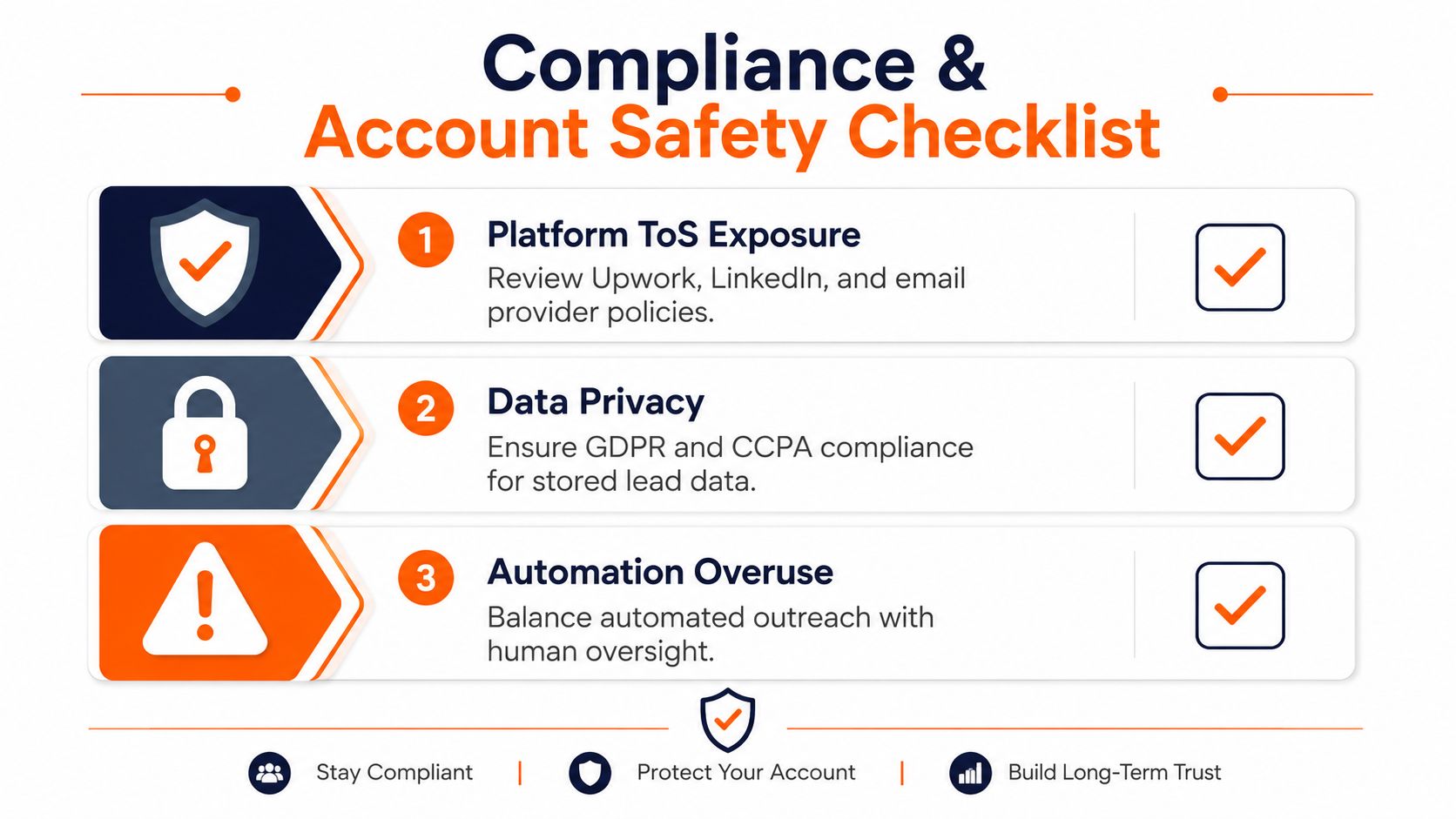
Automation creates a second job, oversight. Once a machine starts touching lead engagement, the operator owns the risk, not the vendor. That risk sits in three places, platform terms, data handling, and brand damage from tone-deaf replies.
Upwork, LinkedIn, and email providers all have their own tolerance for volume and behavior, and those rules are not interchangeable. For oversight models that monitor AI behavior across compliance-heavy workflows, AI agent activity oversight tools are a useful reference point because they force the right conversation, what gets watched, who can approve, and where the audit trail lives.
Guardrails that should exist before launch
- Warm-up limits: start with restrained sending and expand only after the account behavior looks stable.
- Opt-out handling: make sure people can get out of sequences cleanly.
- Per-account caps: keep each sender inside a manageable volume.
- Review queues: require human approval for first-touch messages until the workflow is proven.
- Audit logs: keep a record of what was sent, by whom, and why.
The strongest products don't pretend compliance disappears when AI gets involved. They build throttling, review checkpoints, and clear logs into the workflow so a human can still answer for the output. That matters even more in regulated or reputation-sensitive categories, where one off-brand message can cost more than the software saves.
Putting It Together and When It Is Not Worth It
The cleanest rollout looks like this. Map one workflow, set a baseline, pilot on a subset of leads, measure for 30 days, then expand only if the numbers and the quality both hold up. That's true whether you're running a solo consultancy or a small agency with multiple bidders.
Some situations just don't justify the software. Tiny lead volume can be handled manually. Regulated verticals may need legal review on every send. Sellers who haven't nailed their offer or ideal client profile will mostly automate confusion.
The test is operational maturity. AI sales assistant software pays off when there's enough pipeline volume to make automation worthwhile and one person owns oversight. If nobody owns the workflow, the software becomes another layer of noise.
For Upwork-native teams, tools like Earlybird AI show what this looks like in practice, automated job matching, proposal drafting, replies, analytics, and account-safe workflows built around the marketplace itself. That's the right benchmark to use, not promises of fully autonomous selling.
If you want to see what this looks like in a live Upwork workflow, visit Earlybird AI and evaluate how an always-on proposal and reply system fits your own pipeline. It's built to help freelancers and agencies reduce latency, keep follow-up consistent, and turn more matched jobs into client conversations without adding more manual churn.




