
← Back To Blog
Connects in Upwork: Pricing, Strategy, and Bidding Smarts
You log in ready to apply for a promising project. A few listings look relevant, so you submit proposals without thinking much about the balance. Then you notice your Connects have dropped sharply, and the jobs that looked attractive haven't produced a reply. That moment is where many new freelancers discover that bidding on Upwork has a cost before it has revenue.
The useful reframe is simple: Connects in Upwork are a bidding budget. They're not loyalty points, and they aren't just an administrative requirement. Each ordinary proposal uses a limited resource with a cash value, so your decisions should resemble a small advertising budget. You need to know what each bid costs, which listings deserve that spend, and whether your proposal activity is producing interviews or contracts.
The Bidding Budget You Did Not Know You Had
A new freelancer might open an account, see a free balance, and treat it like permission to apply freely. One proposal uses some Connects. Another uses more. A competitive listing may require an even larger commitment. By midday, the balance that looked generous in the morning has become a reminder that every click had an economic consequence.
That's why Connects deserve the same attention you'd give to any customer-acquisition expense. You're paying for an opportunity to enter a conversation, not for a guaranteed response. The client may choose another freelancer, close the project, or never engage with your proposal. Your job is to make sure the opportunity was worth purchasing before you submit.
Practical rule: Don't measure success by proposals sent. Measure it by the quality of opportunities purchased with your Connects.
A freelancer with a narrow service, a credible portfolio, and a clear client fit can often make a smaller bidding budget work harder than someone applying broadly. The difference isn't luck. It comes from reducing waste before the proposal is written.
Your broader Upwork costs also include membership choices, so it helps to understand how Connects fit beside account plans. The Upwork membership plans can affect the amount included in your account, but a larger allowance shouldn't automatically lead to more applications. More available Connects only create more potential spending.
This guide treats the process as a budgeting problem. You'll see how pricing works, why proposals consume different amounts, which habits protect your balance, and where automation can support selective bidding. The objective isn't to submit at maximum volume. It's to spend deliberately on listings where your profile, experience, and proposed solution give you a defensible chance.
What Connects in Upwork Actually Are
Suppose a suitable project appears, but submitting your proposal uses part of your account balance. That balance is your bidding budget. Spending it gives you access to the application process, not a promise that the client will reply or hire you.
Connects are virtual tokens required for talent to bid on projects and buy ads products on the Upwork Marketplace, according to Upwork's explanation of Connects. They are attached to competing for a client's attention, not to the eventual contract. Client invitations and rehires do not require Connects, while ordinary applications do. The amount required varies by project size and type, as described in Upwork's Freelancer Guide.
How your balance changes
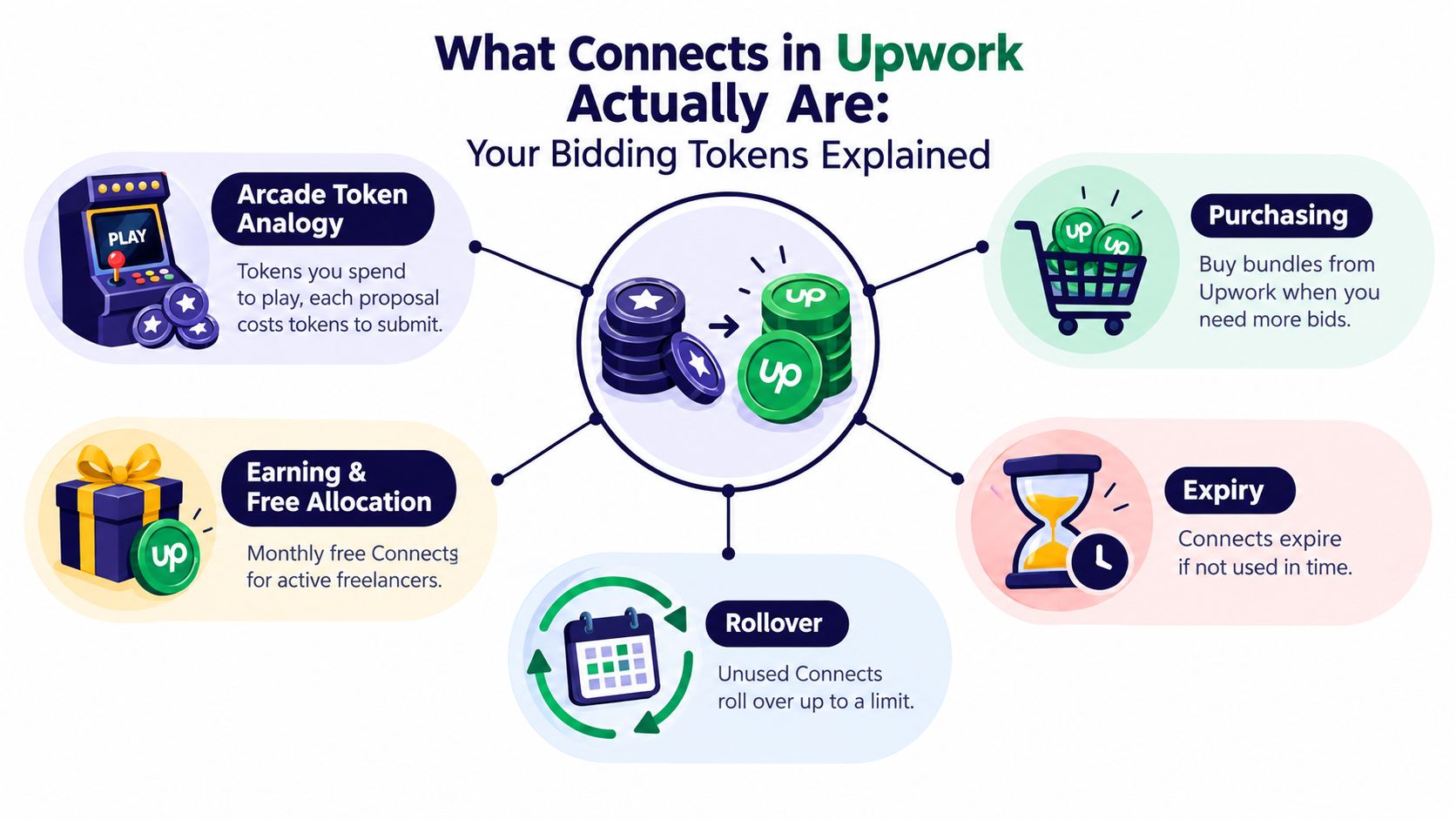
Upwork's support documentation says Connects can be purchased, earned through achievements, and carried from one month to the next. They expire after one year, so leaving them unused for too long can reduce their value. Transaction history for the past 7, 30, and 90 days helps you check which proposals and actions used your balance.
Your monthly free allocation depends on your account arrangement. Basic accounts receive 10 free Connects per month, while Freelancer Plus includes 100 Connects per month.
When the balance is low, you can purchase Connects in bundles or choose a custom amount. Unused Connects roll over monthly but remain subject to the platform's expiry rules. The practical budgeting question is whether each proposal has enough potential return to justify its cost. A large balance does not make a weak-fit project more valuable.
What Connects don't mean
Connects are not a deposit toward a job, a guarantee that a client will read your proposal, or a substitute for a strong profile. They buy access to apply. Your positioning, portfolio, opening lines, price, and relevance influence whether that opportunity produces a conversation.
For that reason, a low response rate may reflect poor project selection rather than a shortage of Connects. Treat every submission like a small acquisition decision: estimate the project's fit and potential value, then spend only when the likely return supports the proposal cost.
How Connects Are Priced in 2026
The current unit price is straightforward. One Connect costs $0.15, and bundles start at 10 Connects, making the smallest purchase $1.50, as outlined in Upwork Connects pricing information. The price remains flat across bundle sizes, so buying more Connects doesn't create a lower marginal price per token under the stated 2026 model.
That predictability helps with planning. If a listing requires four Connects, the direct token cost is about $0.60. If it requires sixteen, the direct cost is about $2.40. Those amounts are small individually, but repeated low-fit applications turn them into a meaningful acquisition line.
TierConnects IncludedPrice (USD)Effective Cost per ConnectNotesBasic monthly allocation10Included$0.15 reference valueBasic accounts receive 10 free Connects monthlyFreelancer Plus monthly allocation100Included$0.15 reference valueFreelancer Plus includes 100 Connects monthlySmallest purchase10$1.50$0.15Minimum stated purchaseStandard proposal example16$2.40$0.15A typical 2026 proposal often uses about 16 ConnectsCommon proposal range4–16$0.60–$2.40$0.15Standard proposals often fall within this range
The free monthly amount can cover only a limited number of ordinary applications, especially when listings require more Connects. A basic allowance of 10 Connects might support one higher-cost proposal or several lower-cost proposals, while the Freelancer Plus allowance provides a larger pool. Neither allowance changes the need to select jobs carefully.
If you're evaluating whether the platform itself has an entry cost, compare the token system with the rest of your acquisition budget in whether Upwork is free. The sensible question isn't whether a proposal costs anything. It's whether the combined cost of finding and winning work fits the value of the client you're pursuing.
Why Every Proposal Costs a Different Amount
A client posts a project that looks perfect, but the listing requires 16 Connects. Another suitable project requires only 4. Both proposals compete for your time, yet they consume different portions of your bidding budget. Upwork sets the required amount per listing, so your acquisition cost changes with each opportunity.
Standard proposals generally fall between 4 and 16 Connects, or about $0.60 to $2.40 at the current rate, as explained in Upwork's explanation of proposal costs.
Job TierConnects per ProposalApprox. USD CostLower-cost or smaller listing4$0.60Mid-range listingVaries within standard rangeVaries within standard rangeHigher-demand or larger listing16$2.40
The tiers describe a range, not a fixed rule. A small project may require more Connects, while a larger one may require fewer. Check the requirement displayed on the listing before submitting. That figure is the entry cost for that specific competition.
Read the listing as a budget decision
Treat each proposal like a small business investment. First assess whether the work matches your strongest service. Then check whether the scope is clear, the client describes a real problem, and the expectations fit your experience and availability.
A listing using 16 Connects should offer a stronger expected return than one using 4. The higher cost can make sense when the project value, client quality, and chance of a conversation are also higher. A low-cost proposal can still waste money if the fit is weak.
Calculate your baseline before submitting
Keep a simple record of every proposal and its Connects requirement. Track the result afterward: whether the client viewed your proposal, replied, invited you to an interview, or hired you. This turns Connects from an abstract token balance into a measurable bidding budget.
Over time, compare the Connects spent with meaningful outcomes. You may discover that a smaller number of carefully chosen applications produces more interviews than frequent bids across loosely matched listings. That personal baseline is more useful than treating every proposal as equally valuable.
A proposal is affordable only when its likely return justifies the amount of your bidding budget it consumes.
A promising project can still be a poor purchase if the scope is vague or your evidence is thin. Save the Connects for opportunities where your experience gives the proposal a credible chance of producing a conversation.
Smart Spending Habits That Stretch Your Connects
Your Connects budget works best when selection happens before writing. A polished proposal can't rescue a listing that doesn't match your service, has unclear requirements, or asks for work you can't credibly demonstrate.
Vet before you bid
Read the full description, not just the title. Look for a specific deliverable, a plausible scope, and signs that the client understands what they need. Review the client's history when available, but don't let a familiar-looking project title replace your own judgment.
Choose fit over volume
Your profile should make the decision easy for the right client. A focused headline, relevant samples, and a concise description of the problem you solve can improve the quality of every application. The goal is to make each Connect do more work by sending it only where your evidence supports the pitch.
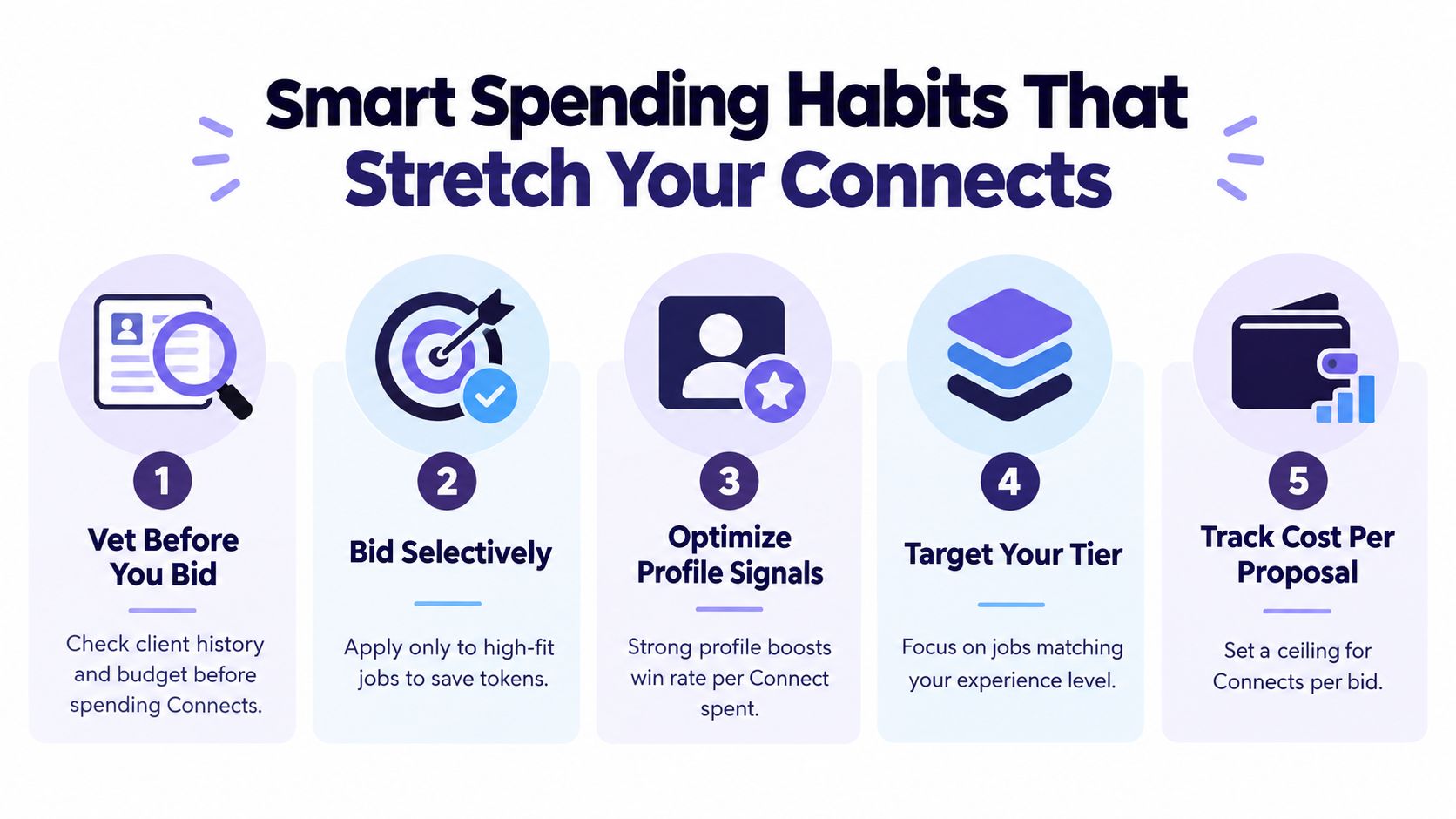
Set a spending ceiling
Choose a weekly Connects cap that reflects your available cash and your current pipeline. A ceiling stops a slow day from turning into a burst of low-quality applications. If you reach the cap, use the time to improve your profile, refine portfolio examples, or draft better answers for the next suitable listing.
Track the outcome that matters
Connects spent is only the first metric. Add proposal views, replies, interviews, and contracts to your notes. A freelancer who spends fewer Connects but earns more qualified conversations has a healthier process than someone who submits constantly without learning which choices work.
Reinvest savings in quality
When selective bidding leaves Connects unused, don't automatically spend the balance. Reinvest the saved budget into research, portfolio development, or carefully crafted proposals for higher-value opportunities. A strong application should show that you understand the client's immediate problem and can produce the requested result.
The most useful habit is to ask one question before every submission: Would I still choose this listing if the Connects came directly from my bank account? If the answer is no, keep the tokens.
Misconceptions That Drain Connects Fast
A freelancer sees a large Connects balance and starts treating it like play money. That mistake turns bidding into casual browsing. At $0.15 per Connect, every proposal has a cash value, so record the spend as customer-acquisition cost. The balance is a bidding budget, not a harmless counter.
Another misconception is that more proposals automatically produce more wins. Volume helps only when the listings fit your skills, portfolio, availability, and target client. A weak proposal sent to an unsuitable project consumes budget without creating a realistic path to a reply. It also uses time that could support a stronger application.
“Free” monthly Connects create a similar trap. Basic accounts receive 10 free Connects monthly, while Freelancer Plus includes 100. Neither allowance is unlimited. Each Connect assigned to one listing cannot be used for another, and unused Connects still follow the platform's rollover and expiry rules described in Upwork's support documentation.
Use four checks before spending:
- Treat Connects as ad spend: You are paying for access to a potential client, not purchasing revenue.
- Track conversion stages: A proposal, reply, interview, and contract represent separate results.
- Compare expected value: A higher-cost application needs a stronger fit or a more valuable opportunity.
- Protect optionality: Spending the entire balance early leaves no budget for better listings later.
For example, a freelancer may choose a costly proposal only when the project closely matches a proven service and offers a credible route to a contract. A cheaper application still deserves scrutiny if the fit is weak. Keep enough records to identify which project types, services, and proposal approaches produce qualified conversations. That is how Connects become a controlled bidding budget rather than tokens spent on impulse.
How Automation Reshapes Connects Strategy
A freelancer can spend the morning opening listings one by one, then submit a proposal whenever a familiar job title appears. That approach treats Connects like tokens. A better workflow treats them as a bidding budget, where every application needs a plausible return.
Automation cannot create Connects or turn a weak match into a strong opportunity. Its useful role is to surface suitable jobs sooner, prepare a relevant response, and show what happens after submission.
A tool such as Earlybird AI can connect with an Upwork account to surface relevant jobs, draft personalized proposals, automate replies and follow-ups, and provide analytics for outreach decisions. Used with human review, it reduces time spent browsing low-fit listings and makes it easier to compare results by project type.
The working process is straightforward:
- Find opportunities quickly: Review fresh listings before manual searching consumes the available bidding time.
- Check commercial fit: Remove projects that do not match your skills, portfolio, availability, or requirements.
- Prepare a contextual draft: Base the proposal on the client's language and deliverables, then edit it yourself.
- Measure the result: Compare replies, interviews, and hires with the Connects used.
Automation changes the speed of these decisions, not the economics. If an application uses the standard 4–16 Connects range, its cost can fall between $0.60 and $2.40, as noted earlier. That is the amount at risk before any reply exists. A proposal is worth submitting only when the project fit, likely contract value, and probability of a useful conversation support the spend.
A simple ROI check can guide the choice. If a $2.40 application has little chance of producing a qualified conversation, faster submission only wastes the budget sooner. If the client's need closely matches a proven service, automation can help you find and prepare that opportunity while leaving judgment with you.
After a conversation becomes an agreement, clear scope protects the value created by the lead. Freelancers seeking a structured starting point can review Closer Innovation Labs Corp. contract templates for general contracting guidance.
You can explore the workflow in Upwork bidding automation. The boundary remains clear: automation may improve selection and consistency, while a human decides whether each Connects spend has a reasonable path to return.
Your Connects Game Plan Going Forward
Use this checklist before your next bidding session:
- Audit your allowance: Know whether your account receives 10 monthly Connects or whether your plan includes 100, and monitor what rolls over.
- Set a cost ceiling: Decide how many Connects a proposal can consume before the opportunity needs stronger justification.
- Bid selectively: Apply where your profile and portfolio directly match the client's stated need.
- Track conversion: Record Connects spent alongside replies, interviews, and contracts.
- Refresh your profile: Improve your positioning and proof before assuming that buying more Connects will solve weak response rates.
- Review policy updates: Upwork reserves the right to change membership fees, included monthly Connects, and Connects pricing with advance notice posted on its site, as stated in Upwork's legal terms.
Connects can roll over monthly, and Upwork's support guidance says they expire after one year. That means your balance is neither disposable nor permanent. Review it regularly, and treat it as a variable cost line that deserves periodic adjustment.
The durable strategy is disciplined rather than aggressive. Every Connects purchase or proposal should meet a minimum expected-return threshold, even if your estimate is informal. Spend where your fit is strongest, learn from each outcome, and let better positioning reduce the amount of paid attention you need to buy.
Earlybird AI helps freelancers and agencies find relevant Upwork jobs, prepare personalized proposals, automate lead replies and follow-ups, and review outreach analytics so Connects can be assigned more selectively. Visit Earlybird AI to see how a focused automation workflow can support your Upwork bidding budget.




