
← Back To Blog
How to Write Proposal in Upwork That Actually Wins
You've spent time tailoring an Upwork proposal, hit submit, and heard nothing back. The next job looks promising, so you draft another one, but the same question lingers: is the problem your writing, the jobs you're choosing, or the Connects you're spending?
A proposal isn't just a cover letter. It's one step in a conversion process, and every application costs time and Connects. The practical way to improve results is to qualify jobs first, make your fit easy to see, and track what happens after you submit.
Why Most Upwork Proposals Get Scrolled Past
A client opens a job post and sees applications that sound interchangeable: “I am an experienced professional,” “I'm the perfect fit,” “I can do this project.” The freelancer may be qualified, but those openings make the client work to discover why. Many won't get past the first lines.
That's a positioning problem before it's a writing problem. If the first thing a client sees is your biography, the client still has to connect your background to their problem. A relevant opening does that work for them: it names what they need and gives a credible reason to keep reading.
Upwork is a global marketplace, not a small directory where a handful of applicants see each post. In its 2023 Impact Report, Upwork says freelancers in more than 180 countries earned $3.8 billion by working with over 850,000 active clients during 2023. It defines an active client as one with spending activity in the preceding 12 months. The report also says that 38% of the U.S. workforce, or 64 million people, freelanced in 2023, and that 47% of freelancers, nearly 30 million people, provided skilled knowledge services.
Those figures don't mean every job has a huge applicant pool. They do show why a broad, generic pitch is a poor bet: clients hiring for specialized work need evidence that you understand their specific assignment.
The opening has one job: make the client recognize their problem in your first sentence.
Connects make the cost of weak positioning tangible. A proposal that earns no view has used your preparation time without starting a conversation, and repeated submissions can consume a finite bidding resource. Upwork's reporting tools distinguish proposals that are sent, viewed, generate interviews, and result in hires. That sequence gives you a better question than “How many did I send?” Ask where your proposals stop moving.
The answer changes what you fix. If clients don't view the application, revisit job fit and positioning. If they do view it but don't reply, check whether the opening and proof establish relevance. Better writing helps, but only after you choose a job where your expertise has a plausible reason to matter.
Reading the Job Post Like a Buyer
Read a listing to understand what the client needs to get done, not just what skills they've named. Pull out three concrete requirements: the deliverable, the required platform or format, and any constraint such as an existing workflow, deadline, or audience. Then ask what problem sits behind them. A client asking for a website refresh may need clearer navigation, a faster path to inquiry, or a more consistent visual system. Don't assume which one. Use the post to form a useful hypothesis and ask a question if the scope is unclear.
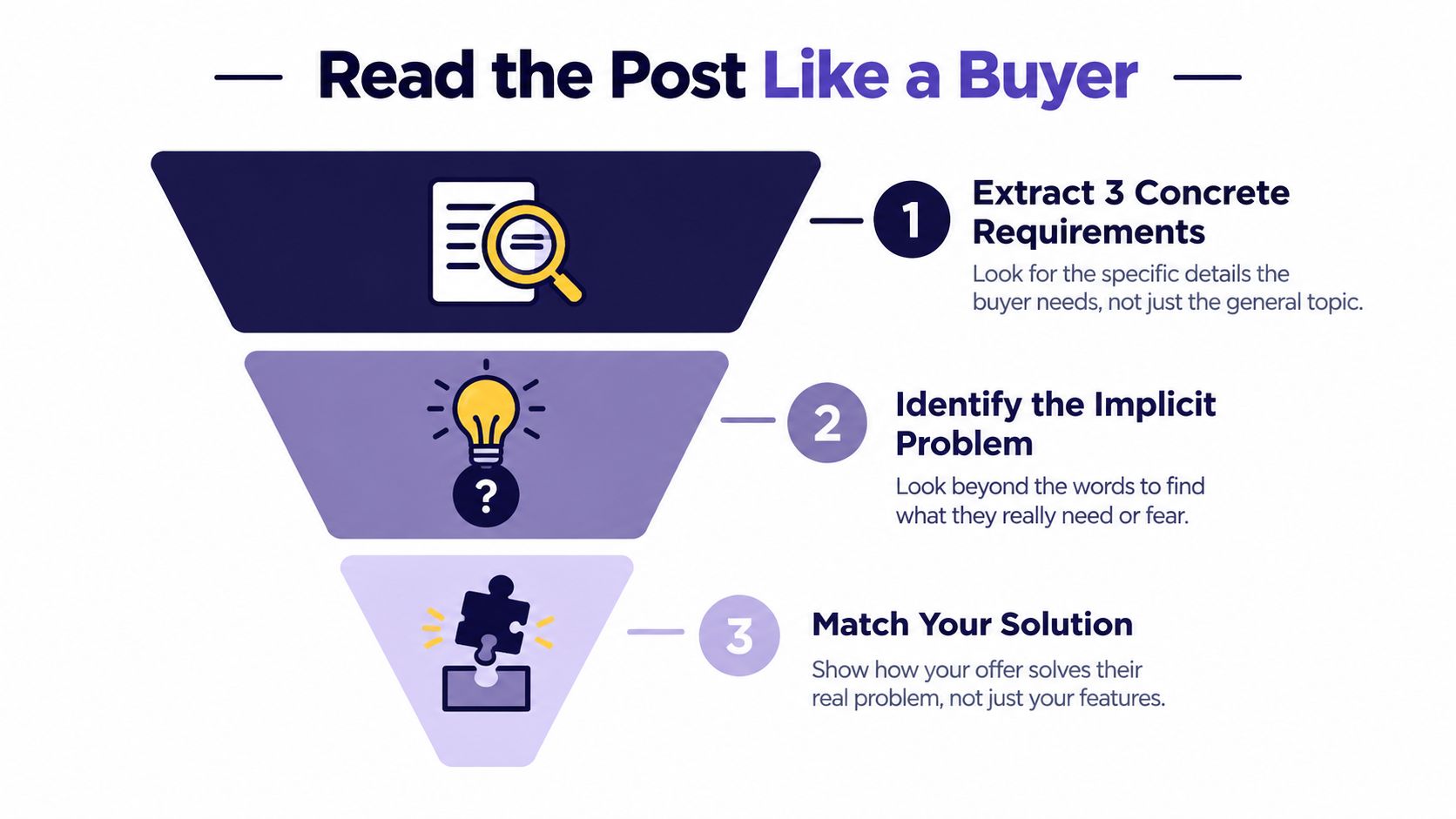
Keywords help you identify what the client explicitly values, but they're not a substitute for interpretation. If the listing asks for Shopify development and conversion improvements, mention both only if your proposed approach connects them to the requested outcome.
Use the listing and available signals together
Proposal Insights can show the total number of proposals submitted for a job, how your skills and profile compare with other applicants, and average information such as freelancers' total earnings and jobs. Treat these as context, not a verdict. A crowded listing may still suit you if your work is unusually relevant; a skill overlap doesn't prove you're the best match.
Review the client's history and the post itself. Upwork recommends considering signals such as how many freelancers the client has already interviewed, whether the client has hired before, and the level of activity on the posting. A vague brief, unclear decision process, or budget that doesn't fit the requested work can also make an apparently attractive post a poor use of effort.
Use this quick read before drafting:
- Requirement: What are the three specific things the client wants delivered?
- Underlying need: What business or workflow problem could those deliverables solve?
- Proof: Which portfolio item or experience shows you can handle this kind of work?
- Risk: Is the scope clear enough to price and propose responsibly?
- Competition: Do the applicant and client signals make the opportunity worth pursuing?
A funnel also helps you read your own results: Sent → Viewed → Interviews → Hires. If an application never gets viewed, the client hasn't had a chance to assess your fit. If it's viewed but doesn't lead to an interview, inspect the message and evidence before assuming the client's budget or timing was the issue.
Filtering Jobs With a Qualification Checklist
A tempting post can still be a bad application. Before spending time on a cover letter, assess niche fit, budget realism, portfolio match, client hiring signals, post activity, and Connects cost. Each factor affects whether you can make a credible offer and whether the opportunity is worth the effort.
Use a simple screen rather than relying on excitement:
- Niche fit: Can you solve the stated problem with work you already do well?
- Budget realism: Does the available budget fit the requested scope and your required net earnings?
- Portfolio match: Can you show a closely related sample, not merely work that shares a broad category?
- Client signals: Does the client's hiring history and current activity make a conversation plausible?
- Post timing: Is the listing still worth pursuing, given how much activity it has already attracted?
- Connects cost: Is the current application cost acceptable for the likely value of the opportunity?

Then count how many of those checks are clearly positive. Three yes answers justify a high-effort proposal. Two support a quick, customized draft if the weak points are manageable. One or none means skip it and keep your time for a better match. This isn't a prediction of whether you'll win. It's a guardrail against spending effort on posts where you can't explain your value.
That mindset is similar to qualifying sales leads: establish fit before investing heavily in persuasion. On Upwork, your limited resources include the Connects needed to apply and the time required to understand the post, choose proof, and price the work.
Be willing to decline a job that looks exciting but has an unclear scope, a poor budget fit, or no relevant sample to share. An application also has an opportunity cost: the hours spent forcing a weak match could go toward a post where your work directly answers the client's needs. Qualification isn't pessimism. It's how you protect the quality of the proposals you do send.
Structuring the Cover Letter That Converts
Keep the letter short enough to scan and specific enough to feel written for this job. A dependable structure is diagnosis, method, proof, question, and next step. Upwork's freelancer guidance on finding clients recommends addressing the client's problem and solution early, highlighting relevant experience, sharing matching samples, and inviting further discussion. Two or three short paragraphs usually give you room to do that without turning the pitch into a biography.
Diagnosis: Start with the client's actual problem or requested outcome. Don't open with “I am a developer” when you could say, “Your product pages need a clearer mobile layout and a simpler path from browsing to checkout.”
Method: Explain how you'd approach the work in practical terms. For a web-development post, that might mean reviewing the current templates, identifying mobile layout issues, and proposing the changes before implementation. Don't promise a result you can't support.
Proof: Include one or two samples that resemble the assignment. A relevant example lets the client judge the work directly; a collection of unrelated links asks them to do your filtering for you.
Question and next step: Ask one useful question about scope, such as which product templates matter most, then suggest discussing the work if the approach fits. Keep the ask easy to answer.
A generic opening says, "I am an experienced web developer and can complete your project." A custom version says, "Your product pages need a cleaner mobile flow, and I'd start by reviewing the existing templates before proposing the implementation plan." The second version signals that you read the post and have thought about execution.
For a useful perspective on clear, audience-focused writing, see Pure Write's cover letter advice. The same principle applies here: a polished letter is only useful when it helps the reader understand your fit.
A short walkthrough can help you see how these pieces work together in an application.
Agencies should make the operating model clear, too. Name the specialist responsible for delivery, outline the expected milestones and dependencies, and set a communication cadence. Clients aren't only choosing a skill; they're deciding whether they can trust the team to execute.
Connects, Boosts, and the Economics of Each Proposal
Connects are a bidding resource, so check the current cost before you commit. Upwork's Connects documentation says the amount required to apply varies by job and may change while the post is active. Connects can also be used for optional features such as Boosted Proposals and the Availability Badge. That makes “apply because the job looks interesting” a weak default.
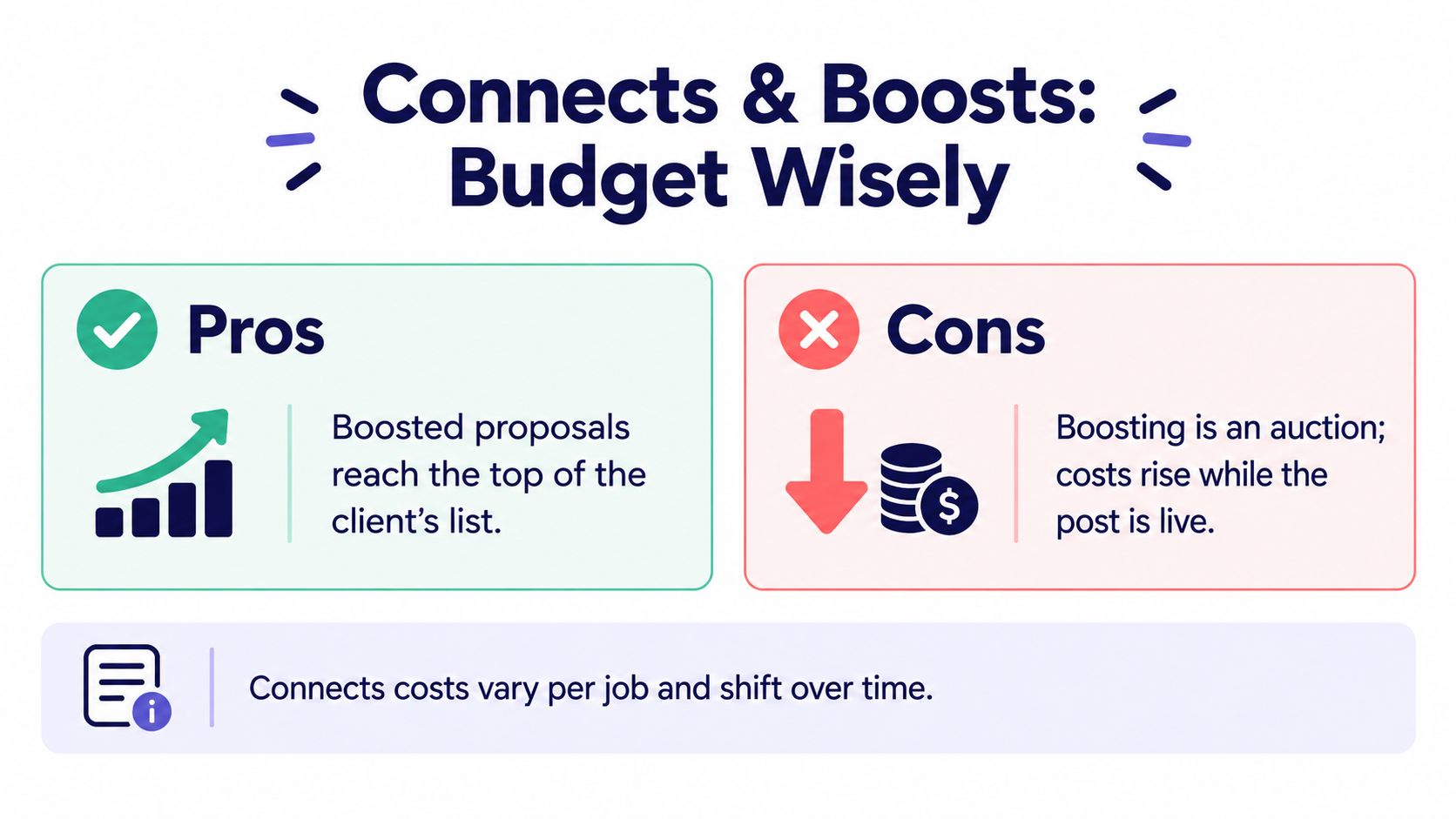
A Boosted Proposal adds Connects to the standard submission cost. Eligible freelancers choose the maximum they're willing to bid; if they finish among the highest bidders when the auction ends, Upwork places the proposal in one of the client's top four slots. The boosting rules also make the timing important: you can only boost once per job, and you can't add a boost later to an application you submitted without one.
Estimate value before spending
Think of each proposal as an investment. Estimate how plausible a reply is, how likely a reply is to become an interview, how likely an interview is to become a hire, and whether the project would leave a worthwhile margin. Then weigh that expected value against Connects, preparation time, and the opportunity to pursue stronger-fit work.
A boost can be reasonable when the post closely matches your expertise, the client's hiring signals look promising, and the expected project value justifies the additional Connects. It's harder to defend when the post is already saturated, the budget is weak, or your proof is only loosely related. Buying visibility doesn't repair a poor match.
Price from the amount you need to keep, not just the client's displayed budget. Upwork's freelancer service-fee guidance states that the fee ranges from 0% to 15% per contract, displays the applicable percentage when you submit a proposal or receive an offer, and locks that contract's fee once the proposal, offer, or contract is sent. Account for the shown fee when deciding whether the project is financially sensible.
For a plain-language explanation of how Connects fit into applying, review what Upwork Connects are. The operating rule is simple: set a stopping point before submitting. If the current cost, project margin, client signals, and fit don't meet your threshold, don't spend more just because you've already invested time in the draft.
Diagnosing Replies With Data Not Vibes
A weekly review beats guessing from a handful of outcomes. Upwork separates proposal activity into Sent, Viewed, Interviews, and Hires, while Proposal Insights adds context about applicant volume and profile or skills comparisons. Log the outcome of each application and group it by service, client type, budget fit, post activity, timing, and bidder. Your own pattern matters more than a vague benchmark.
Read the funnel as a diagnostic:
- Sent but not viewed: Recheck job fit, profile positioning, and submission timing. A polished letter can't help if the client doesn't open it.
- Viewed without a reply: Tighten the opening, strengthen the match between the stated need and your proof, and remove anything generic.
- Replies without interviews: Review whether you qualified the scope and made the next step clear.
- Interviews without hires: Look at pricing, trust, and how clearly you explained delivery.
Change one variable at a time. If you change the opening, sample choice, and call-to-action together, you won't know which change affected the result. Upwork's guidance on proposals that aren't being viewed supports personalizing around the post, showing relevant experience, and keeping the message concise. Give a test enough qualified submissions to see a useful pattern before judging it, rather than drawing a conclusion from a couple of applications.
Friday review: Record what was sent, viewed, answered, interviewed, and hired. Note the service, fit, client signals, and one change to test next week.
Common mistakes have distinct costs. An “I am” opening buries the client's outcome and can hurt views. Generic samples weaken relevance after the client opens the proposal. Ignoring a specific instruction can undermine trust before the conversation starts. A simple review of Upwork data analytics can also help teams think more systematically about their own performance. Don't optimize for proposal volume when the leak is happening later in the funnel.
Building a Weekly Proposal Operating System
A consistent cadence turns one-off drafting into a feedback loop. On Monday, spend a short block scanning new posts and applying your qualification checklist. Midweek, reserve focused proposal time for the opportunities that pass. Before submitting, check the required Connects, the scope, the proof you'll attach, and whether your expected project margin makes sense.
Friday's log should record three numbers per application: Connects spent, minutes of drafting time, and funnel stage reached. After four weeks you can see which service line returns interviews per 10 Connects and drop the rest. Set a stopping rule while you are at it. If a category burns through, say, 40 Connects without a single interview, pause it until you change the offer or the proof instead of bidding harder into a losing market.
Standardization should make the process easier to repeat, not make every proposal sound identical. A workflow standardization guide can help teams document consistent steps while leaving room for judgment. Save reusable prompts for extracting requirements, checking fit, and identifying missing scope, but write the first lines for the client in front of you.
Automation can help with qualification and follow-up when people remain responsible for fit and accuracy. Earlybird AI is one option for drafting proposals for review. Use any system to reduce repetitive work, not to send a pitch that ignores the buyer's actual problem. The first two sentences still need a human understanding of what the client wants.
If proposal writing is consuming time without producing enough qualified conversations, visit Earlybird AI to see how its Upwork job matching, proposal workflows, and analytics can support a more deliberate sales process. Keep your qualification rules and voice at the center, then let automation handle repeatable tasks.




