
← Back To Blog
Password Management Best Practices: 10 Essential Steps

A freelancer receives an urgent message that appears to come from Upwork. The login page looks familiar, so they enter a password they also use for email and a payment tool. Within hours, an attacker can access client conversations, reset connected accounts, redirect payments, and use the freelancer's identity to contact customers. One reused or phished credential can expose the whole workflow.
Good password management best practices focus on limiting that blast radius. They don't depend on perfect memory or constant vigilance. They combine unique credentials, a protected identity foundation, multi-factor authentication, controlled sharing, activity monitoring, recovery planning, and clear team routines.
The checklist below follows the operating lifecycle of a freelance or agency business. It starts with securing the identity foundation, then protects access, supports safe collaboration, detects suspicious activity, and creates a repeatable response when people, tools, or permissions change. For a broader reference on best practices for securing passwords, review the fundamentals, then put the highest-impact controls into operation first.
1. Use Unique, Complex Passwords for Each Account
A password should belong to one account only. If an attacker obtains the credential for a design platform, that password shouldn't work for Upwork, your email, accounting software, or a payment processor. Separating credentials turns one incident into a contained problem instead of a chain reaction.
Uniqueness matters more than creating a memorable variation. Changing StudioPassword1 to StudioPassword2 doesn't create meaningful separation if someone already knows the base pattern. Use a password manager to generate random credentials, or use a long passphrase when you must create one manually. NIST recommends a manually created password of at least 15 characters and advises using a password manager to generate and store credentials rather than relying on memory alone. NIST explains its password creation guidance here.
Make the highest-value accounts distinct first
A freelance designer should use separate credentials for Upwork, their portfolio host, payment processor, cloud storage, and design tools. An agency should do the same for its email administration, client portals, hosting provider, accounting system, and shared work platforms.
Start with the accounts that can affect revenue or reset other accounts:
- Revenue platforms: Protect Upwork and payment services with credentials that appear nowhere else.
- Identity accounts: Give email, cloud storage, and password-manager accounts completely distinct passwords.
- Administrative tools: Separate hosting, domain, accounting, and advertising credentials from everyday work tools.
Avoid names, birthdays, dictionary words, keyboard patterns, and sequential strings. After suspicious activity, don't wait for a scheduled review. Generate a new credential immediately, revoke active sessions, and investigate the account.
Practical rule: If you can remember the same password for several services, it probably isn't unique enough for a business workflow.
2. Implement a Dedicated Password Manager
A password manager removes the main reason people reuse credentials: the burden of remembering them. It stores encrypted login records, generates credentials, fills them on the correct websites, and can help identify weak, duplicated, or exposed entries. For a freelancer handling many client tools, one protected vault is safer and easier to maintain than scattered browser storage, notes, spreadsheets, or email threads.
Choose a service with zero-knowledge architecture, strong encryption, secure synchronization, breach alerts, and multi-factor authentication for the vault itself. The provider shouldn't be able to read your stored credentials. Your master password becomes the foundation, so make it long, unique, and unavailable anywhere else.
Configure the vault for actual work
Create folders or collections for personal accounts, agency administration, clients, finance, infrastructure, and shared Upwork access. Give each person only the collections they need. A freelancer can use one vault for platform credentials, licenses, recovery codes, and secure notes. An agency can share access without sending passwords through chat or attaching them to documents.
Set up the manager on every approved device, then enable biometric authentication where supported. Biometrics improve convenience, but they don't replace a strong master password or multi-factor authentication. Remove inactive credentials regularly, especially after a client engagement ends or a service is retired.
The Canadian Centre for Cyber Security guidance recommends enabling MFA, choosing a manager that supports MFA and zero-knowledge encryption, and using tools that flag weak, reused, or breached passwords. These password-manager recommendations are summarized by Bright Defense.
Place the first visual near the beginning of the setup, before moving into team sharing.

After the vault contains your most important accounts, walk through the sharing and recovery features. A short demonstration can help team members understand why the manager is preferable to copying credentials into messages.
For an additional practical perspective, compare your setup against these password manager best practices from Digital Footprint Check.
3. Enable Two-Factor Authentication on All Critical Accounts
A password is only one gate. Two-factor authentication adds another proof of identity, such as an authenticator app, hardware key, or biometric approval. If a phishing page captures a password, the attacker still faces another control before entering the account.
Protect email, Upwork, payment platforms, cloud storage, domain administration, hosting, accounting, and the password manager first. Authenticator apps generally offer stronger protection than SMS because phone-number attacks and message interception can undermine text-based codes. For the most sensitive accounts, a hardware security key such as a YubiKey or Titan can provide a stronger phishing-resistant sign-in method.
Store recovery material safely
Save backup codes in the password manager's secure notes, not in an email inbox or an unprotected desktop file. If a team member loses a phone, establish who can help restore access, how identity will be verified, and how the old device will be removed. Test recovery before an emergency, using a low-risk account where possible.
An Upwork freelancer should enable MFA before sharing access with a bidder or contractor. An agency should document which person controls each authenticator, where backup codes are stored, and what happens when that person leaves. Account security also belongs in the broader operating workflow, including the Upwork desktop app.
Don't treat MFA as a substitute for unique passwords. It reduces the chance that a stolen password becomes an immediate takeover, but phishing can still trick people into approving a malicious request. Train users to reject unexpected prompts and report them.
For teams operating under contractual or regulatory requirements, review the relevant multi-factor authentication compliance guidance from Heights Consulting Group.
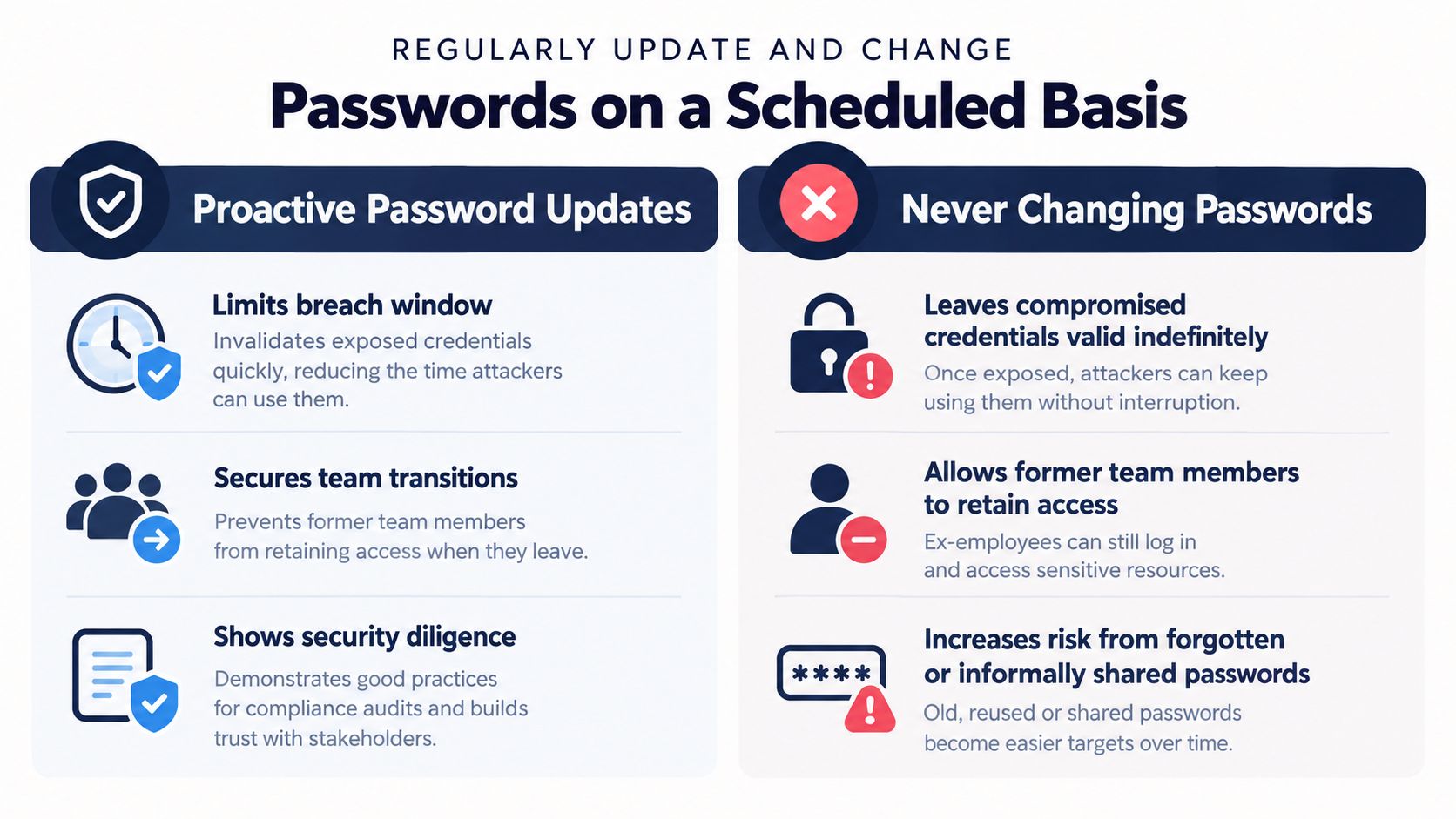
4. Review Password Changes Without Relying on Forced Rotation
Scheduled password changes sound disciplined, but fixed resets can create predictable habits. Users often make small edits, write credentials down, or choose weaker replacements when a service repeatedly forces a new password. Modern guidance increasingly favors blocking breached passwords, setting minimum length requirements, and requiring MFA instead of demanding routine changes for every account. Bellator Cyber discusses this shift in its password security guidance.
A review schedule still has value. The useful distinction is between reviewing the state of credentials and forcing every user to change them on a calendar. Review critical accounts regularly, then change a password when evidence or an access change justifies it.
Change credentials at meaningful trigger points
A freelancer should change the Upwork, email, and payment passwords after suspicious login activity or a vendor breach. An agency should change shared credentials when a team member leaves, when access expands, or when someone may have copied a password outside the approved vault. Onboarding should include replacing inherited credentials if the account has been shared previously.
Use the password manager's generator so every replacement remains unique. Record the change in the relevant internal process, then test access on approved devices. Sign out existing sessions when the service supports it, and confirm that integrations still work.
- After suspected compromise: Change the affected credential immediately, revoke sessions, and inspect account activity.
- After personnel changes: Remove the person's vault access and replace any shared credentials they could have viewed.
- After a vendor incident: Follow the vendor's instructions, then prioritize credentials reused on other services.
- During routine review: Look for duplicates, weak entries, inactive accounts, and missing MFA rather than changing passwords blindly.
5. Secure Your Email Account With Enhanced Protection
Email is the reset channel for much of your digital business. An attacker who controls it can request password resets, intercept security notices, impersonate you, and search old messages for invoices, client information, and account details. Protecting email often protects the recovery path for everything else.
Use a strong, unique email password and enable MFA. Keep the recovery address and phone number accurate, then review the provider's recent activity page for unfamiliar devices, locations, sessions, and forwarding rules. Attackers may create forwarding rules that copy password-reset messages or client correspondence.
Separate identity from public exposure
A dedicated address for Upwork, payments, domain management, and other critical services can reduce exposure to marketing lists and public profiles. That address doesn't need to appear on a portfolio page or social profile. Keep a separate operational address for routine subscriptions and public contact.
For an agency, decide who owns the administrative mailbox and how another authorized person can access it if the owner is unavailable. Don't create an informal recovery process that depends on one person's personal phone or memory. Store recovery details in the approved password manager and document the escalation path.
Review email security after a contractor joins, a role changes, or a suspicious message arrives. Check connected applications and revoke anything no longer needed. If a password-reset email appears unexpectedly, don't click through it. Open the service directly, inspect recent activity, and change credentials if the request wasn't yours.
6. Avoid Phishing and Social Engineering Attacks
Strong passwords can't protect a credential that someone willingly enters into a fake site. Phishing messages create urgency, imitate familiar brands, and push the recipient toward a sign-in page. Social engineering can also involve a client impersonation, a fake support request, or a team member asking for access outside the normal process.
Treat unexpected login requests as untrusted until verified. Don't click a sign-in link in an unsolicited email. Open the official website through a saved bookmark or by entering the address yourself, then check notifications and account activity there.
Give the team a simple decision process
Inspect sender addresses carefully. A lookalike domain such as upwrok.com isn't the official upwork.com, even if the logo and page design appear convincing. Hover over links before clicking, but don't treat the preview as proof of safety. If a message asks for a password, backup code, or urgent payment change, verify it through a separate channel.
A password manager can reduce accidental entry on an imitation domain because autofill is tied to the saved website address. It isn't a complete defense, but it creates a useful friction point. MFA adds another barrier if credentials are exposed, though users must reject unexpected approval prompts.
Train every bidder and contractor to report suspicious messages quickly, including mistakes. Shame delays reporting, while early notification gives the team time to change credentials and revoke sessions. For more context on assessing the security of an Upwork workflow, see is Upwork safe.

7. Monitor Account Activity and Investigate Unusual Login Patterns
Prevention matters, but detection determines how much damage an attacker can cause. Review login history, active sessions, connected devices, and security notifications for email, Upwork, payment systems, cloud storage, and administrative tools. Establish a baseline for normal access, including the devices, locations, and working patterns your team uses.
A freelancer working from one region should investigate a login from an unfamiliar country. An agency should question an unexpected late-night session, an unfamiliar device, or activity from a person whose contract has ended. Unauthorized bids, messages, profile changes, or payment details deserve the same urgency as a suspicious login.
Turn alerts into an operating response
Enable new-login notifications wherever a platform offers them. When an alert arrives, don't dismiss it because the device name looks familiar. Confirm the time, browser, location, and session against your own activity, then sign out anything you can't identify.
Use this response sequence:
- Confirm the event: Check whether you or an authorized teammate caused it.
- Contain access: Sign out unfamiliar sessions and disable compromised devices.
- Replace credentials: Generate a new password that hasn't been used elsewhere.
- Inspect changes: Review messages, bids, payment settings, recovery details, and connected applications.
- Record the event: Preserve dates, notifications, and relevant account details for support or investigation.
For agencies, assign responsibility for reviewing shared-account activity. A person should know which team members are expected to access an account and when. Monitoring also fits into broader operational controls, including Upwork screen capture workflows, when those workflows are appropriate and authorized.
8. Use Secure Password Recovery and Account Backup Options
Recovery controls are part of password security, not an afterthought. If your primary email, phone, or authenticator device becomes unavailable, backup methods determine whether you regain access quickly or lose control during a busy client period.
Add a recovery email that has its own unique password and MFA. Keep the recovery phone number current, but don't assume a phone number alone is sufficient protection. Store MFA backup codes and recovery instructions in secure notes inside the password manager, with access limited to the people who need them.
Test the path before an emergency
A freelancer can validate recovery on a low-risk service before relying on the same process for Upwork or a payment account. An agency should document who approves recovery, who contacts the platform, which backup contact receives updates, and how the team verifies that a recovery request is legitimate.
Review recovery information after changing a phone, replacing a laptop, switching email providers, or removing a team member. Delete old addresses and devices. If security questions are still required, don't use answers that someone can find on a public profile. Store randomized answers in the password manager rather than relying on memory.
Keep the recovery process usable. Excessive complexity can cause people to bypass it, while an undocumented process can fail when the account owner is unavailable. The right approach gives authorized people enough information to restore access without placing the master credentials in email, chat, or an exposed file.
9. Educate Your Team and Create Security Protocols
A password manager won't fix an agency process that lets people export credentials, forward backup codes, or keep access after leaving. Team security depends on consistent behavior, clear ownership, and a safe way to report mistakes.
Train new team members on vault setup, MFA enrollment, phishing recognition, secure sharing, and incident reporting. Document which accounts require unique credentials, where shared access belongs, how roles are assigned, and who can approve a recovery request. A designated security lead can maintain the process without turning every access question into an improvised decision.
Make policies match daily work
An agency with multiple bidders should share access through password-manager collections rather than email or messaging. Each person should have an individual account where the platform supports it, and shared accounts should have a defined owner, access record, and offboarding procedure. Review permissions when a contractor changes role, finishes a project, or stops working with the agency.
Avoid punitive reporting cultures. If someone enters credentials into a suspicious page, the fastest response is to report it, change the password, revoke sessions, and inspect the account. Delayed disclosure gives attackers more time.
Useful team rules include:
- Use approved sharing: Never send passwords through email, chat, documents, or screenshots.
- Report quickly: Tell the security lead about suspicious messages, unexpected MFA prompts, or lost devices.
- Review access: Remove inactive users and unnecessary collections during regular account reviews.
- Practice recovery: Confirm that backup contacts and recovery codes remain usable.
- Coach consistently: Correct unsafe behavior and explain the replacement process.
10. Eliminate Password Reuse Across Platforms
Password reuse creates a direct pathway from a minor breach to a major business incident. Large-scale analysis of 19.03 billion leaked passwords found that only 6%, or 1.14 billion, were unique, leaving 94% reused across multiple accounts according to the password statistics overview from Secureframe. Attackers can test exposed credentials against email, freelancing platforms, payment services, and cloud tools without needing to guess each password independently.
The broader behavior is still weak. A survey covering more than 8,000 people across the United States, the United Kingdom, France, and Germany found that 75% didn't follow widely accepted password best practices. Secureframe documents the survey and reuse analysis. The practical lesson is simple: awareness doesn't create uniqueness. Systems and routines do.
Audit duplicates in the vault
Run the password manager's health or reuse report. Start with email, Upwork, payment tools, hosting, domain administration, accounting, and cloud storage. Replace every duplicate with a generated credential, then check whether the old password appeared in any secure notes, onboarding documents, or personal accounts.
Don't create slight variations. Password123 and Password124 are different strings but follow the same exposed pattern. If one reused password may have been compromised, change every account that used it, revoke sessions, and inspect activity.
A 2026 roundup reports that 42% of passwords are eight to ten characters long, while roughly 60% to 85% of people reuse passwords across multiple sites. WiFi Talents presents those figures in its password reuse roundup. Use those findings as a reason to audit behavior, not as permission to rely on complexity alone.
Turn the Checklist Into a Monthly Security Routine
Password security works best as an operating rhythm, not a one-time cleanup. Start with the identity foundation: secure the primary email account and password manager with unique passwords, MFA, protected recovery methods, and limited administrative access. Those two accounts influence nearly every other credential, so they deserve the earliest attention.
Next, protect the business-critical accounts. Put Upwork, payment platforms, cloud storage, hosting, domain administration, accounting, and client portals into the password manager. Generate a distinct password for each one, enable MFA, and remove credentials from email, shared documents, browser notes, and chat histories. When a service supports passkeys, use them where practical, then keep passwords for accounts that don't support passkeys and use app-based MFA for the remaining logins. This passkey-first workflow is discussed in a recent password-system guide.
Use a monthly review to inspect the vault, account activity, recovery details, and team permissions. Look for duplicate or weak passwords, inactive accounts, unfamiliar sessions, outdated recovery contacts, and people who no longer need access. A monthly review doesn't mean forcing every account to change its password. It means checking whether the controls still match the way the business operates.
Personnel changes deserve their own trigger. When someone joins, give them an individual identity, approved vault access, and MFA setup instructions. When someone changes role, reduce or expand access deliberately. When someone leaves, remove their vault access, revoke active sessions, replace shared credentials they could view, and confirm that recovery contacts and connected applications remain under approved control.
Keep the incident sequence short enough to follow under pressure:
- Contain access: Sign out unfamiliar sessions, disable affected users or devices, and pause suspicious workflows.
- Change affected credentials: Generate new unique passwords, starting with email, the password manager, and accounts connected to the incident.
- Revoke sessions and tokens: Remove active devices, application connections, recovery methods, and remembered approvals that may still provide access.
- Preserve relevant details: Save login alerts, timestamps, messages, account changes, and support-ticket information before deleting anything.
- Notify the right contact: Contact the platform, payment provider, client, internal security lead, or law-enforcement channel when the situation warrants it.
- Improve the process: Identify how the credential was exposed, then adjust training, sharing rules, MFA, recovery, or monitoring.
Earlybird AI may be relevant to agencies that use automated Upwork workflows and need to keep account access under control. Its published materials state that it never stores your password, which is a useful property to verify when evaluating any service connected to an Upwork account. Review the workflow and security details at Earlybird AI, then apply the same access, MFA, monitoring, and offboarding standards to every connected tool.
If your Upwork workflow needs automated searching, personalized proposals, client-message replies, analytics, profile optimization, or multi-user agency workflows, visit Earlybird AI to review how it fits alongside your password manager and account-security routine. Use the checklist above before connecting any automation platform, and keep ownership, MFA, recovery, and session monitoring under your control.




