
← Back To Blog
Upwork Freelancer Plus Promo Code: Real Savings Guide
You're probably here after doing the same thing most of us do. You open Upwork, see the Freelancer Plus charge, then open a second tab and search for an Upwork Freelancer Plus promo code because paying full price feels annoying when work is uneven.
That instinct is reasonable. The problem is that most promo-code pages waste your time. They throw expired strings at you, blur old pricing with current pricing, and never answer the question: will this membership pay for itself for the way you bid? That's the question worth solving.
Why Freelancers Search for a Promo Code in the First Place
A slow month changes how every subscription feels.
You stop seeing Freelancer Plus as “a tool” and start seeing it as another recurring charge that has to earn its place. That's when people start hunting for a code. Not because they love coupons, but because they want a safer way to test whether the plan is useful without eating the full cost up front.
The real search intent
Most freelancers searching for an Upwork Freelancer Plus promo code are asking one of three things:
- Is there a real discount anywhere
- Am I overpaying because I signed up through the wrong channel
- Should I even keep this plan at all
That last one matters most.
Upwork's pricing and plan details have changed over time. Older Upwork documentation listed Freelancer Plus at $10 per month with 70 Connects for Plus versus 60 for Basic in that version of the platform, plus rollover and bidder visibility benefits, according to Upwork's older freelancer guide in the Freelancer Guide PDF. Current Upwork pages now show materially different pricing and feature packaging, which is exactly why outdated coupon articles confuse people.
Practical rule: If a promo-code article doesn't explain old pricing versus current pricing, it's probably recycling stale information.
A lot of freelancers also search because they still aren't clear on what's free and what isn't on Upwork. If that's you, read whether Upwork is free to use before you judge the plan. It clears up the baseline.
What's actually worth your attention
Genuine codes do exist, but they're usually limited, time-bound, and tied to official channels. Upwork's own support says membership coupon codes may be shared through email, events, or partnerships, and redeemed through account membership settings, as noted on Upwork's Freelancer Plus support page.
That's the signal. Everything else is noise until proven otherwise.
What Freelancer Plus Does on Upwork
Freelancer Plus is a paid operating layer for freelancers who submit enough proposals to feel friction from the free plan.
You are buying more proposal capacity, rollover rules that are friendlier than Basic, and a few bidding and profile tools that help if Upwork is a real acquisition channel for you.
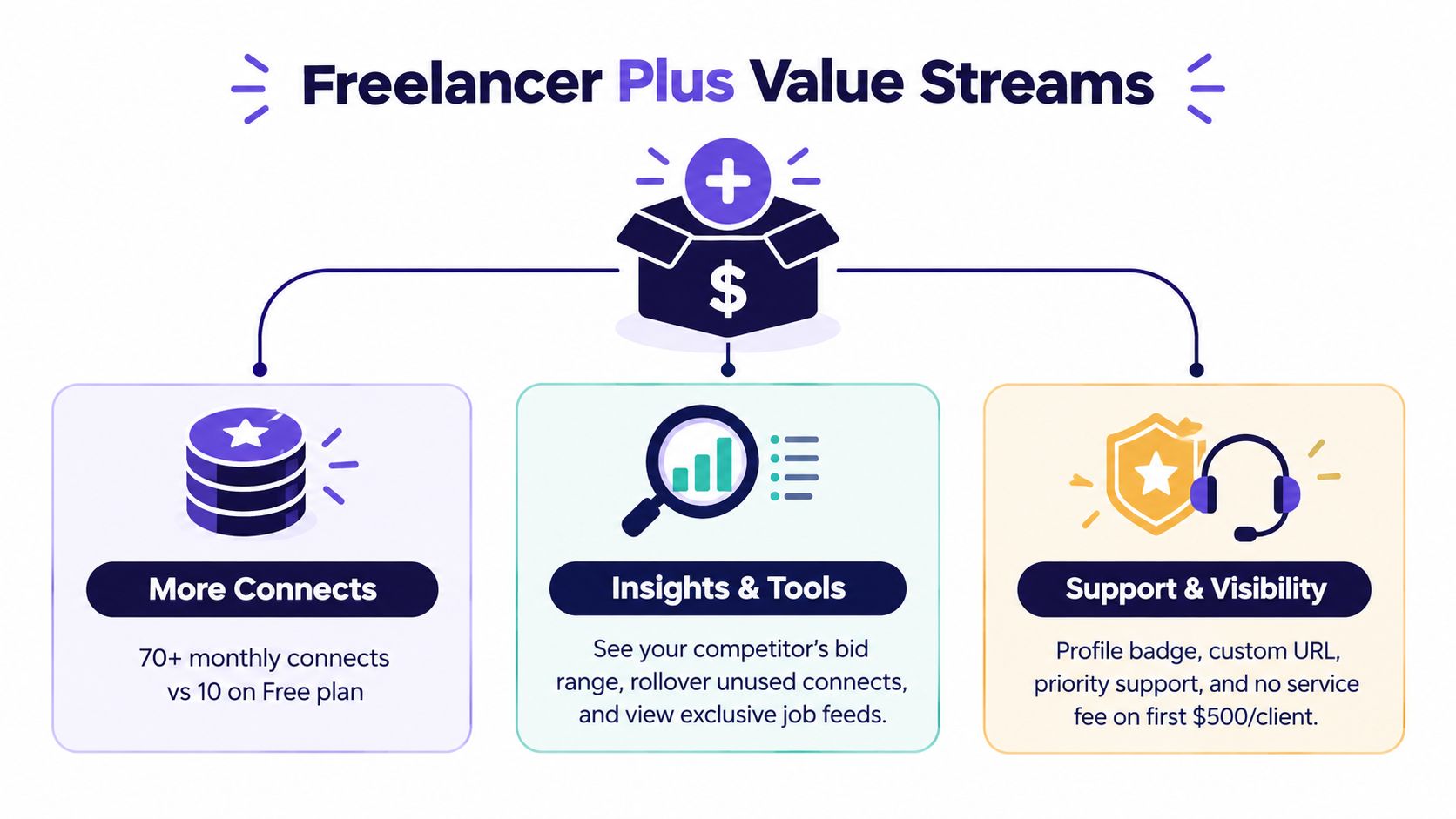
The core mechanic is simple. Plus gives you a larger monthly Connects allocation than Basic, and Upwork's membership documentation says unused Connects can roll over under its rules, with Connects expiring one year after issue, according to Upwork's Membership section.
That matters because Connects are not the whole cost of bidding. Time is the other cost. If Freelancer Plus gives you enough monthly capacity to apply consistently without constant top-ups, the plan can be easier to justify than buying piecemeal extras and managing them manually.
Price matters too. Upwork's product page shows Freelancer Plus at $19.99 per month when bought directly, while the Apple App Store version is listed at $27 per month on Upwork's Freelancer Plus page. If you are checking coupon pages, start with that gap. A lot of “discount” content is just repackaging pricing you could have avoided by purchasing through the right channel.
Here is what the subscription gives you in practical terms:
- More room to bid: You get a bigger monthly Connects budget than the free plan.
- Better carryover rules: Unused Connects do not disappear as quickly if your workload is uneven.
- Bidding utility: The plan is built for freelancers who want more control and continuity in how they apply.
- Profile-level advantages: Small visibility perks can matter if you compete in crowded categories.
My read after testing it is simple. Freelancer Plus does not fix weak offers, bad targeting, or lazy proposals. It does remove a few operational bottlenecks. That is the right way to judge it.
If you want the broader context on how Plus compares with other options, this breakdown of Upwork membership plans is the useful reference.
Key Benefits That Justify the Subscription
Freelancer Plus is only worth paying for if it removes a bottleneck you have.
If you barely submit proposals, it's overhead. If you bid regularly and care about staying active without constantly topping up, it can make sense fast.
Where the value usually shows up
BenefitWhat It DoesWho It Helps MostMonthly ConnectsGives you a larger proposal budget than the free planFreelancers applying consistently each monthConnect rolloverLets unused Connects carry forward under Upwork's rulesPeople with uneven workloadsMembership toolsAdds planning and bidding convenienceSellers who treat Upwork like a channel, not a side appVisibility perksAdds profile-level signals and membership featuresMid-volume freelancers trying to stand out
The biggest mistake people make is evaluating the subscription like it's just a discount bundle. It isn't. It's an operating tool for people who use Upwork often enough to feel friction from limits.
Who gets the most out of it
A few freelancer profiles tend to benefit:
- The consistent bidder: You apply every week and don't want to ration every proposal.
- The specialist in a competitive niche: You care about small visibility edges because clients compare similar candidates.
- The agency-style operator: You treat Upwork as a lead source and need repeatable proposal capacity.
A part-time freelancer who sends occasional proposals usually won't feel enough lift to care. A freelancer with a real pipeline usually will.
If you need the plan to prove itself, judge it on whether it improves proposal capacity and workflow discipline, not whether the badge feels nice.
One benefit people undervalue
Rollover matters more than many think.
Freelancing isn't linear. Some months are dead. Some weeks are packed with ideal jobs. A plan that lets you carry unused Connects can fit that rhythm better than constantly buying in short bursts and reacting emotionally to every new listing.
How to Redeem an Official Upwork Promo Code
You find a code on a coupon site, copy it into some random box, and hit an error. That is the standard promo-code experience on Upwork if you start anywhere except Upwork itself.
The official redemption path
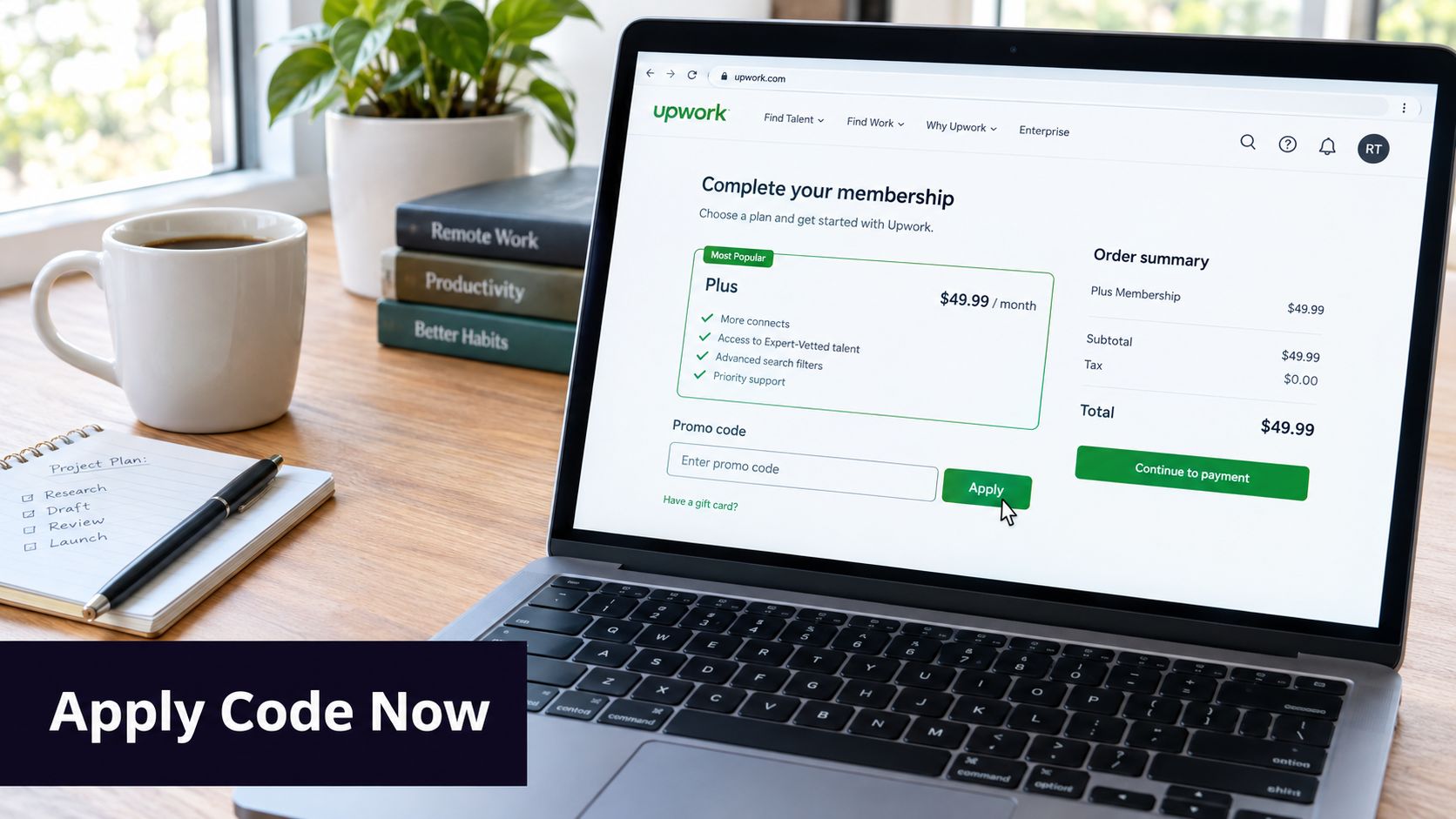
Use Upwork's membership flow and ignore everything else. Upwork's redeem membership coupon instructions say codes are applied through the membership plan area, not through a third-party checkout page or a separate promo portal.
Here's the clean path:
- Go to your Upwork account settings.
- Open the membership section.
- Select Upgrade to Plus if you are not subscribed yet.
- Enter the promo code at checkout before you pay.
- If you already have Freelancer Plus, use Add a promo code from the membership area instead of trying to buy the plan again.
That is the whole process. If a site tells you to redeem somewhere else, it is noise.
One billing detail that trips people up
Timing matters more than people expect.
Upwork notes on its What is Freelancer Plus page that signups late in the month can start with a prorated first month, fewer Connects, and a renewal date that shifts quickly. If you activate on the 29th, 30th, or 31st, your first cycle may feel short.
That affects how you judge the offer. A valid code can still be real and useful, but your first invoice and Connects balance may not look like a full standard month.
What to check before you submit payment
A promo code only matters if the checkout screen changes before the charge goes through.
Use this checklist:
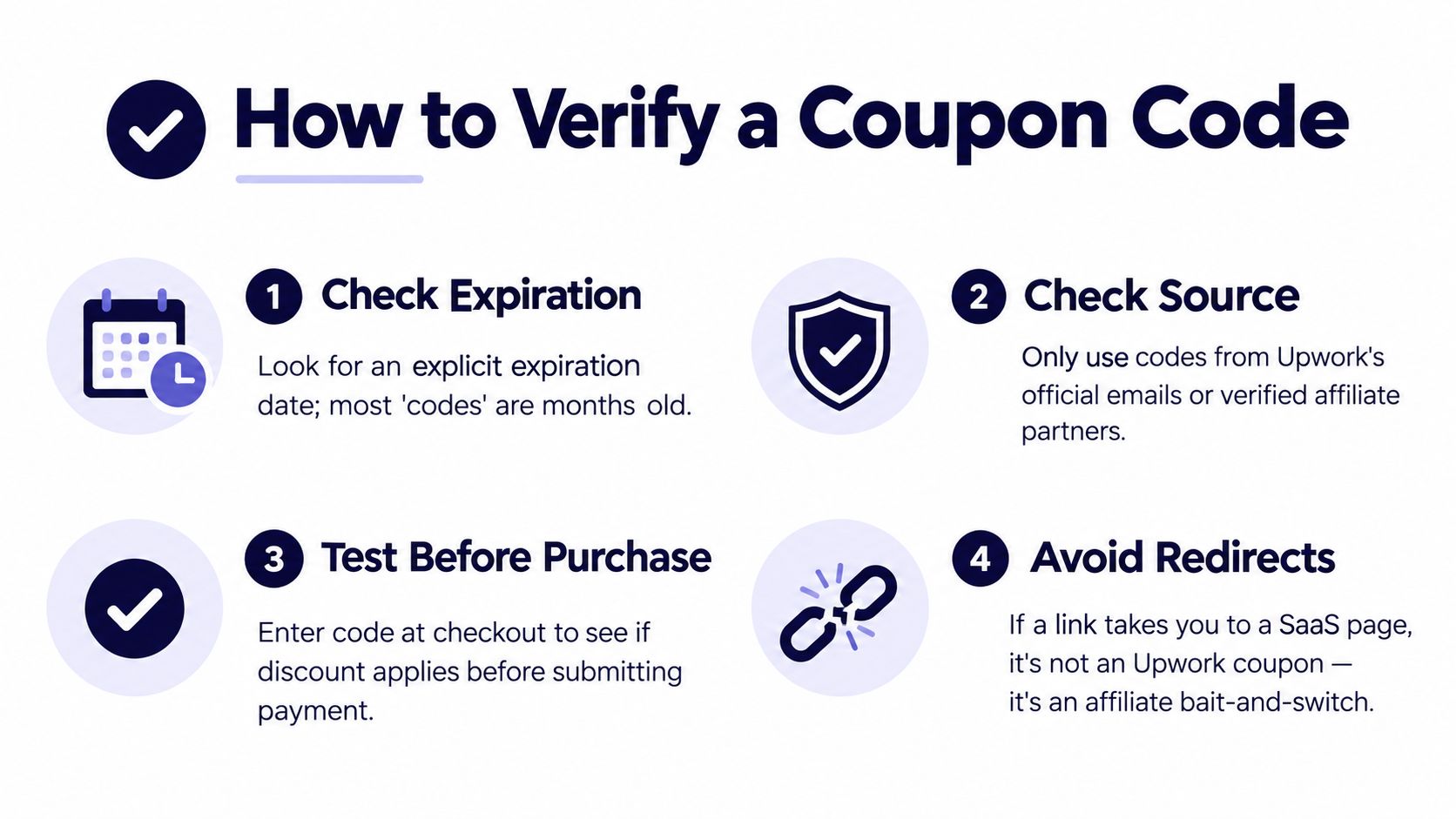
- Apply the code inside Upwork only: Do not trust outside forms, browser popups, or coupon-site redirect pages.
- Confirm the price updates before paying: If nothing changes on the checkout screen, assume the code is invalid, expired, or not meant for your account.
- Save proof: Take a screenshot of the discount, date, and final total.
- Review the first invoice right away: If the charge posts without the discount, waiting usually does not help.
- Start earlier in the month if you want a cleaner ROI test: You will get a more normal billing cycle and a better read on whether the subscription earns its keep.
This is the part coupon-list articles usually skip. Redemption is not just entering a code. It is verifying that the discount is legitimate, applied in the right place, and worth using once Connects, timing, and renewal details are factored in.
Why Most Freelancer Plus Coupon Lists Fall Short
You open three “working today” coupon pages, try every code, and land on the same result. No discount at checkout. That happens because coupon-list publishers are chasing search traffic, not verified redemptions.
Their pages are built to look current even when the details are stale. A code box, a green “active” label, and a recent timestamp do not mean the offer works inside Upwork.
Why the confusion keeps repeating
Freelancer Plus pricing is messy enough that bad coupon pages can sound believable. Upwork's own help material already reflects channel differences and billing variation, including cases where the first month is prorated and the included Connects can differ from a full cycle, as noted earlier.
That creates four easy ways for coupon sites to mislead readers without saying anything technically false:
- Old pricing presented as current
- App pricing mixed with direct billing
- Targeted offers framed as public offers
- Expired promotions left on-page for clicks
This is why stale coupon content survives. It borrows just enough truth from older screenshots, old pricing, or account-specific promos to look legitimate.
Red flags that should stop you right away
Treat any of these as a waste of time:
- Redirects or extra redemption steps: Official discounts apply inside Upwork, not through a third-party form.
- “Works for everyone” claims: Real offers are often limited by account, timing, or channel.
- Fake urgency: Countdown timers and “expires tonight” banners mean nothing if checkout does not change.
- Requests for strange actions: Password resets, browser extensions, referrals, or login prompts tied to a coupon are junk.
Here's the practical test I use. If a page cannot tell you where the code is supposed to appear in the actual Upwork billing flow, it is not a redemption guide. It is an ad page.
The bigger problem is ROI. Saving a few dollars on the subscription means very little if you still overbid on weak jobs, waste Connects, or pay through a higher-cost channel. Good advice separates legitimate Upwork offers from coupon noise and then asks the only question that matters. Will Plus earn back its cost through better visibility, cleaner bidding, or less manual work?
Smarter Ways to Lower Your Effective Cost
You do not lower the cost of Freelancer Plus by spending an hour on coupon sites. You lower it by making the subscription pay for itself.
That means one thing. Spend less per qualified bid and get more value from the work you already do inside Upwork.
Start with proposal discipline
Bad bidding is usually more expensive than the plan.
Freelancers burn Connects on jobs they were never likely to win, then blame the subscription price. The better fix is tighter selection. If a post is vague, underfunded, or clearly outside your proof, skip it fast. Saving Connects on weak-fit jobs does more for ROI than shaving a few dollars off one billing cycle.
Use a simple filter before you apply:
- Clear-fit work only: Apply where your portfolio matches the job without forcing the story.
- Client quality screens: Prioritize posts with a solid brief, realistic budget, and signs the client intends to hire.
- Custom proposals only: Generic bidding inflates your cost per serious opportunity.
Compare the cost levers that actually move the needle
LeverSavings TypeEffortTypical PaybackTighter job filteringLower Connect wasteMediumFastPausing Plus in slow periodsLower subscription spendLowImmediateBuying through the right channelLower billed priceLowImmediateReducing wasted bids with automationLower manual time and fewer weak bidsMediumFast for active freelancers
The purchase path matters more than many freelancers realize. As noted earlier, direct billing is cheaper than buying through the Apple App Store. That is an easy win, and it has nothing to do with promo codes.
Where tools fit
Automation helps if it improves decision quality, not if it just helps you bid more.
Internal workflows, proposal assistants, and Upwork-focused tools like Earlybird AI can search for matching jobs, draft personalized proposals, and automate replies inside a defined process. Used well, that cuts manual admin and helps you respond faster to strong-fit work. Used poorly, it just speeds up bad targeting.
One more cost control matters if you switch Plus on and off during busy periods. Upwork says you need to cancel before the renewal date, which starts at midnight UTC. If you miss that cutoff, you are billed for the next cycle and the cancellation applies after that, according to Upwork's membership billing help page.
Track that date. A missed renewal costs more than any expired coupon page will ever save.
Deciding If Freelancer Plus Is Worth It for You
This decision is simpler than people make it.
Don't buy Freelancer Plus because you found an Upwork Freelancer Plus promo code. Buy it because your bidding pattern justifies it. The code, if you get one, is a bonus.
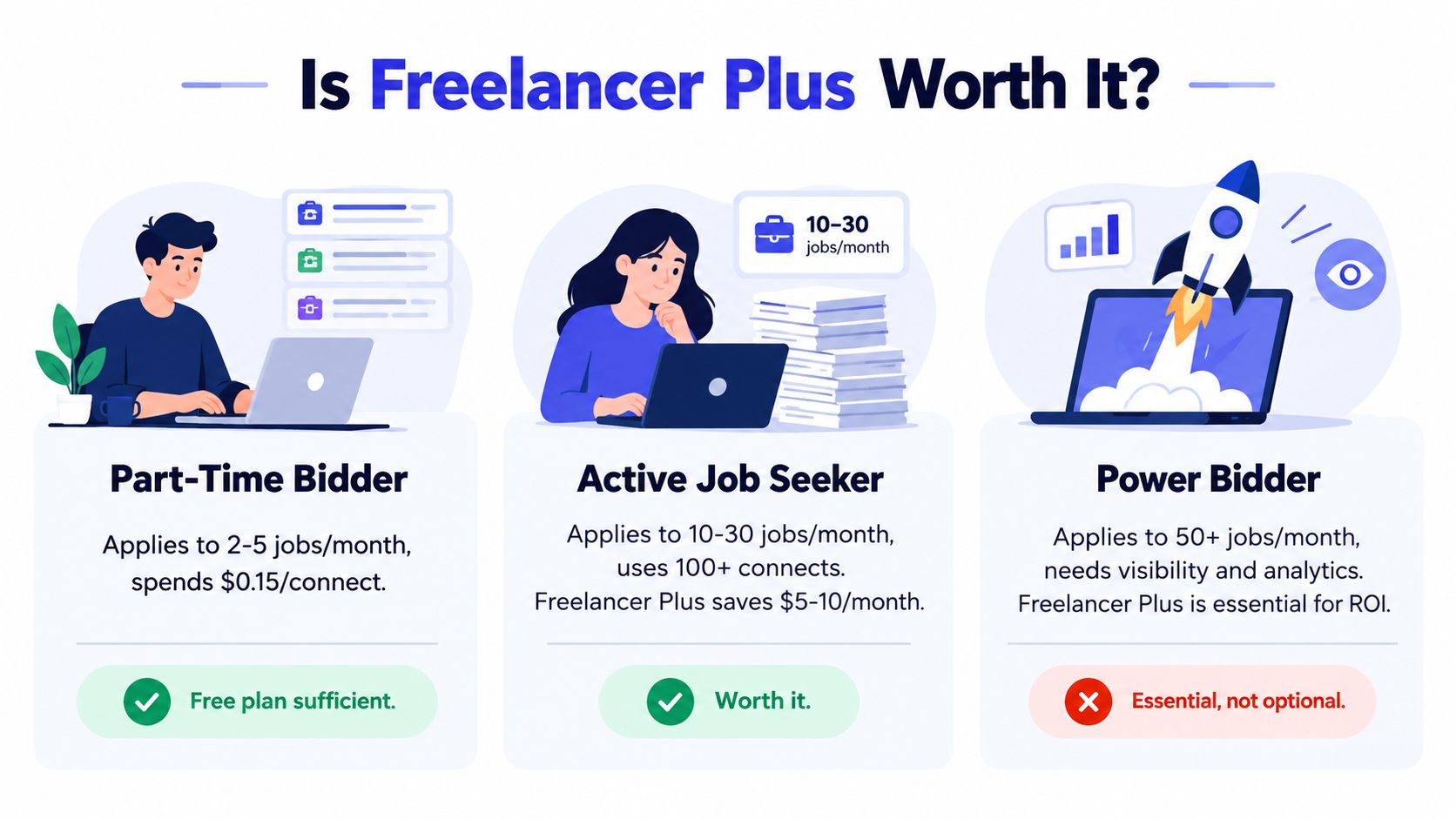
Three freelancer profiles
Part-time bidder
You apply occasionally, mostly when work is slow elsewhere. You probably don't need Plus year-round. The free plan may be enough unless you keep running into proposal limits or need a steadier Connects buffer.
Mid-volume seller
You bid regularly, care about maintaining momentum, and don't want proposal capacity to become a bottleneck. Plus starts to make more sense, especially if you use the included Connects consistently and manage the account actively. For a deeper breakdown of the tradeoffs, this guide on whether Upwork Freelancer Plus is worth it is helpful.
Agency-style operator
You live inside Upwork. You or your team bid often, track pipeline, and care about process. In that setup, the question usually isn't whether Plus exists. It's whether your current bidding workflow is efficient enough to extract value from it.
The weekly action plan
Do this instead of doom-scrolling coupon pages:
- Check how many Connects you burn in a normal month.
- Compare that with what the plan includes and how rollover fits your pattern.
- Check whether you're paying through the direct Upwork path or a higher-cost app route.
- Decide whether the plan pays back inside two billing cycles.
- If the answer depends on wishful thinking, wait.
Buy the membership when the math works without a coupon. Use the coupon when it appears. Never reverse that order.
If your workload is active and structured, Plus can be sensible. If your activity is sporadic and your targeting is sloppy, the subscription won't rescue that.
Rule of thumb. If the plan clearly pays back inside two billing cycles, proceed. If you need stretched assumptions to justify it, pause.
Earlybird AI acts like an always-on Upwork sales layer. It connects to your account, learns which jobs fit, drafts personalized proposals, and automates replies so you waste less time and fewer Connects on bad-fit outreach. If you want a cleaner alternative to chasing shaky coupons, visit Earlybird AI.




