
← Back To Blog
Upwork Get Paid: How to Set Up and Withdraw Funds
You finish a fixed-price project, the client approves it, and the money appears in your Upwork balance. Then you try to withdraw it and discover that your bank account isn't verified, your tax details are incomplete, or the selected payment rail adds a fee that makes a small transfer uneconomical. Understanding how to get paid on Upwork means following the entire chain, from contract protection and fund release to withdrawal timing, recordkeeping, and taxes.
The platform doesn't treat every dollar as immediately spendable. Hourly work follows a weekly review and release cycle, while fixed-price work depends on funded milestones and the client's review window. Your chosen withdrawal method then determines the final fee and the time between an available balance and cash in your account.
Setting Up Your Upwork Payment Method
The frustrating moment usually comes after the first successful contract. You can see earnings, but Upwork won't send them anywhere until your identity, tax profile, and withdrawal method are ready.
Complete the three prerequisites
Start with identity verification. Your legal name and account details need to match the information used by your payment provider. A mismatch can delay verification or cause a transfer to fail later.
Next, submit the appropriate tax form. U.S. freelancers generally use Form W-9, while freelancers outside the United States may need Form W-8BEN. Don't treat the form as an administrative afterthought. It helps Upwork classify your account and supports the reporting process for your earnings.
Finally, open Settings, Get Paid and add at least one withdrawal method. Available choices can include a U.S. bank deposit, a local bank account, PayPal, Payoneer, or a wire transfer, depending on your country and account eligibility. Upwork may send verification micro-deposits to confirm a bank account, so check your statement and enter the amounts accurately.

Make the payment profile match your business
Use clear names for saved methods, such as “Personal checking” or “Business bank account.” That small naming habit helps prevent an agency operator from routing business income to a personal account, especially when several payout methods are attached.
Your tax form should be submitted before earnings cross the $20,000 lifetime threshold with a single client, according to the account guidance reflected in the provided payment materials. For a useful explanation of the distinction between the party making a payment and the party receiving it, review this guide to payor vs payee differences.
Changing your default method affects future withdrawals. It doesn't retroactively reroute funds that have already cleared or been sent. Before requesting a payout, confirm the selected method, account holder name, currency, and destination.
Withdrawal Options Compared
The cheapest withdrawal method depends on where you live, which currency your bank accepts, and whether you need the money immediately. A free transfer can still be a poor choice if it takes several business days and your cash flow is tight. A fast rail can be wasteful when you're withdrawing a small amount frequently.
The current Upwork payment guidance lists these core costs and timing ranges: Direct to U.S. Bank through ACH is free and typically arrives within 2 to 5 business days. Direct to Local Bank costs $0.99 per transfer and typically arrives within four business days. Instant Pay costs $2 per transfer, while a U.S. dollar wire costs $50 per withdrawal. These figures are documented in Upwork's withdrawal instructions.
| Method | Fee | Arrival Window | Minimum | Best For |
|---|---|---|---|---|
| Direct to U.S. Bank, ACH | Free | Typically 2 to 5 business days | Varies by account | U.S. freelancers who can wait |
| Direct to Local Bank | $0.99 | Typically within four business days | Varies by country | International bank deposits |
| Instant Pay | $2 per transfer | Fast, method dependent | Varies by eligibility | Urgent U.S. withdrawals |
| U.S. dollar wire | $50 per withdrawal | Method and bank dependent | Varies by bank | Larger transfers where the fee is justified |
| PayPal, Payoneer, and other local rails | Varies | Country and provider dependent | Varies | Freelancers needing a supported local option |
The practical choice is usually between cost and predictability. ACH or local bank transfer suits a planned weekly or monthly cadence. Instant Pay is for urgency, not routine. A wire can make sense for a larger transfer, but the fixed fee is difficult to justify for a small balance.
Upwork also offers a “Get Paid Now” option, allowing eligible freelancers to withdraw available funds outside a scheduled payment. That flexibility helps when a bill is due, but it doesn't remove the clearing period required before earnings become available.
How Milestones and Hourly Billing Release Funds
A client approving your work and money becoming withdrawable are related events, but they aren't always simultaneous. The contract type determines which protection rules apply and when the balance moves through Upwork's payment pipeline.
Fixed-price work depends on funded milestones
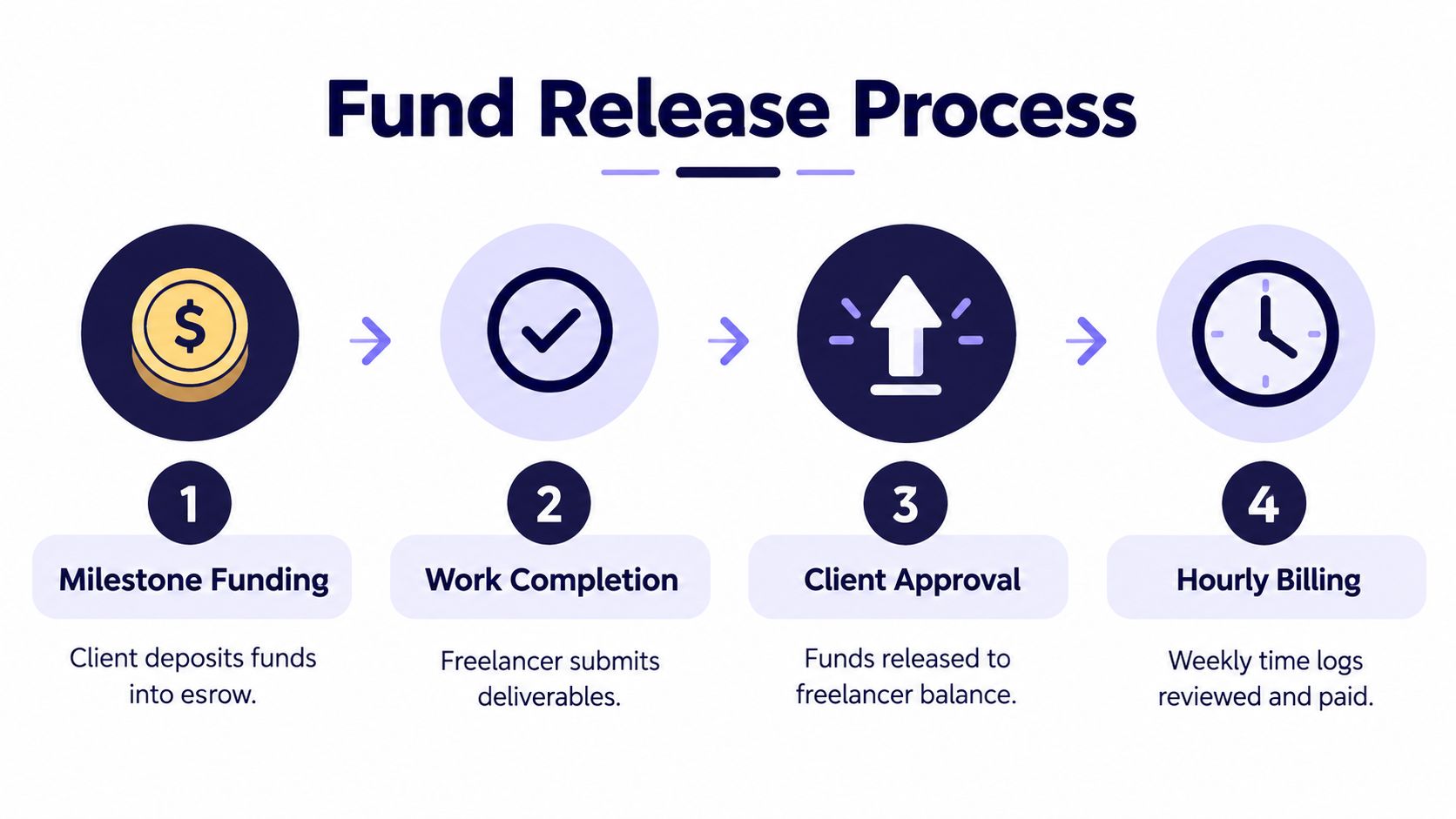
For fixed-price contracts, the client should fund the milestone before you begin. The money sits in escrow, and Fixed-Price Protection applies to approved work when the milestone was properly funded and submitted through Upwork's process.
After you submit the deliverable, the client has 14 days to approve it or request changes. If the client takes no action, Upwork states that the funds are automatically released after that review period, as described in its payment protection guidance. A revision request isn't the same as approval, so keep the submission tied to the agreed milestone and document what you've delivered.
Hourly work follows a weekly clock
Hourly contracts use a different rhythm. You log time from Monday through Sunday in UTC. Upwork bills the hours automatically on Monday, the client can review or dispute them until Friday, and funds are released the following Wednesday if there isn't a dispute. Hourly funds then clear after a 10-day period, while fixed-price funds clear after a five-day security hold, according to the platform's payment documentation.
Protection depends on compliant time tracking and the platform's requirements. The lifetime protection cap for hourly work is $2,500 per client or 50 hours at your average rate, whichever is lower, and a dispute involving prior-week invoices must be filed by Friday at 11:59 PM UTC, as described in Upwork's payment and protection rules.
For detailed guidance on recording work transparently, see this resource about Upwork screen capture. The safest practice is to use the tracker consistently, add meaningful memos, and keep work connected to the contract scope.
Upwork Fees That Eat Into Your Pay
A quoted project rate isn't the same as the amount that reaches your available balance. Before accepting work, separate the client's gross payment, Upwork's service fee, any currency conversion cost, and the withdrawal charge.
The supplied fee guidance describes a sliding service-fee structure of 10% on the first $10,000, 5% from $10,001 through $10,000,000, and 2% above $10 million in client-paid earnings. Because the applicable tier depends on your relationship and cumulative earnings with that client, check the current terms before relying on a calculation.
What the arithmetic looks like
A $2,500 fixed-price contract at a 10% service fee leaves $2,250 before any withdrawal or conversion cost. A $500 weekly invoice at $50 per hour over 10 weeks reaches the same gross total as a single $5,000 payment, assuming the same fee tier applies.
| Client Pays | Service Fee, Sliding | Conversion Fee | You Receive |
|---|---|---|---|
| $1,000 | $100 at the 10% tier | Varies by destination currency | $900 before conversion and withdrawal costs |
| $5,000 | $500 at the 10% tier | Varies by destination currency | $4,500 before conversion and withdrawal costs |
| $15,000 | Depends on the applicable cumulative tier | Varies by destination currency | Depends on the applicable service and conversion costs |
The table shows why a quarter's gross billings shouldn't be treated as take-home pay. A non-USD withdrawal can add a currency conversion margin, and the payout rail can add its own charge. Upwork's current withdrawal guidance should be your reference for the actual method available to your account, rather than an old comparison copied from another freelancer's country.
Clients may also be able to pass certain freelancer-side fees through to you. Read the offer and contract terms before you price the work. This guide to Upwork fees for freelancers can help you identify the separate deductions that belong in your estimate.
Taxes on Upwork Income
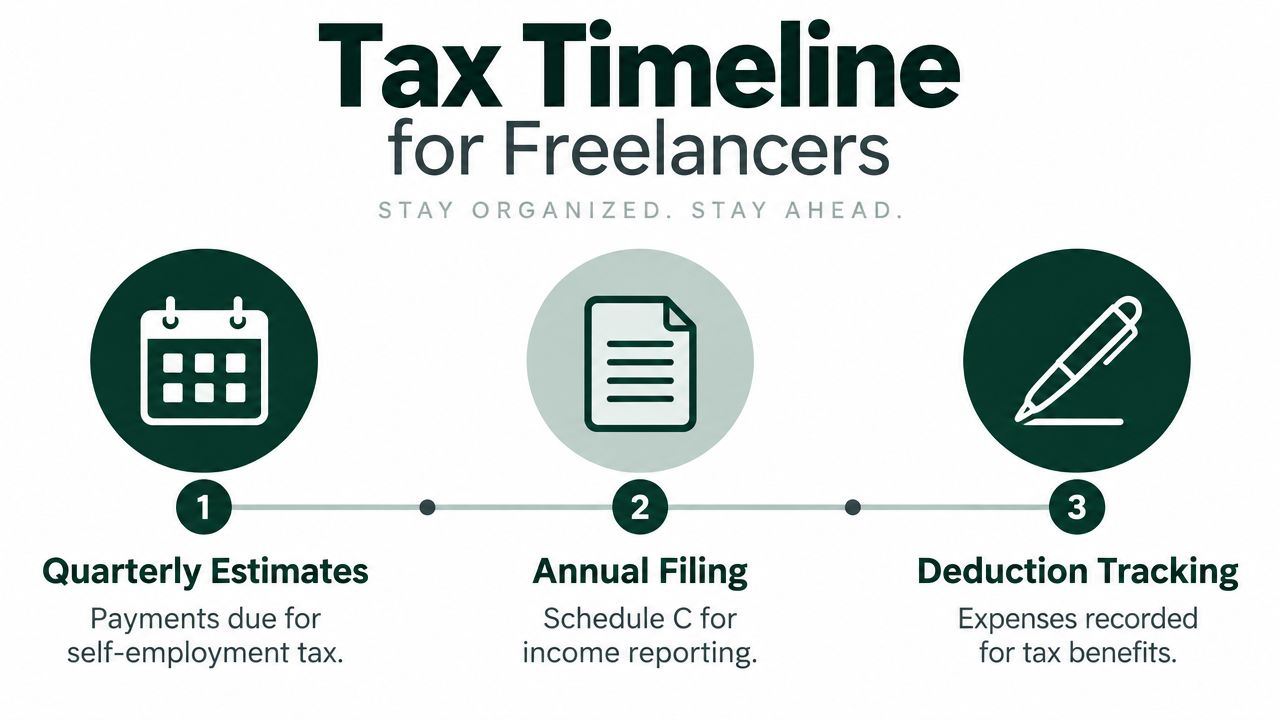
Upwork isn't your employer, and a payout isn't a tax settlement. U.S. freelancers generally report platform income as self-employment income, often on Schedule C, and may owe both ordinary income tax and self-employment tax.
The supplied tax guidance identifies self-employment tax as 15.3% on net earnings up to the Social Security wage base and 2.9% above it. Those rules are separate from federal, state, or local income-tax obligations. Your taxable result depends on your business expenses, filing status, location, and other income, so a tax professional should review your situation.
Don't wait for a tax form
Upwork may issue Form 1099-NEC when a freelancer receives $600 in a calendar year from U.S.-based clients, and Form 1099-K may apply to U.S. clients who cross the relevant reporting threshold. The IRS still expects you to report income even if no form arrives.
Track the gross payment and every related deduction in a ledger:
- Platform costs: Record Upwork service fees and connection fees.
- Cash-conversion costs: Keep withdrawal fees and currency-conversion charges.
- Operating expenses: Allocate the business-use portion of internet, equipment, software, and other directly connected costs.
- Payment records: Save transaction confirmations so your bank deposits reconcile with your Upwork reports.
Build tax payments into the payout routine
The commonly used U.S. quarterly estimated-tax dates are April 15, June 15, September 15, and January 15. The supplied guidance also identifies a safe-harbor approach of paying 100% of last year's tax, or 110% if adjusted gross income exceeded $150,000, to reduce underpayment-penalty risk.
Don't confuse cash timing with tax timing. Funds may clear after a platform review period, but your records should reflect the income and expenses according to the accounting method you use. For a focused comparison of contractor tax forms, this HireAccountants founder tax guide is a useful reference.
Fixing Common Payment and Withdrawal Problems
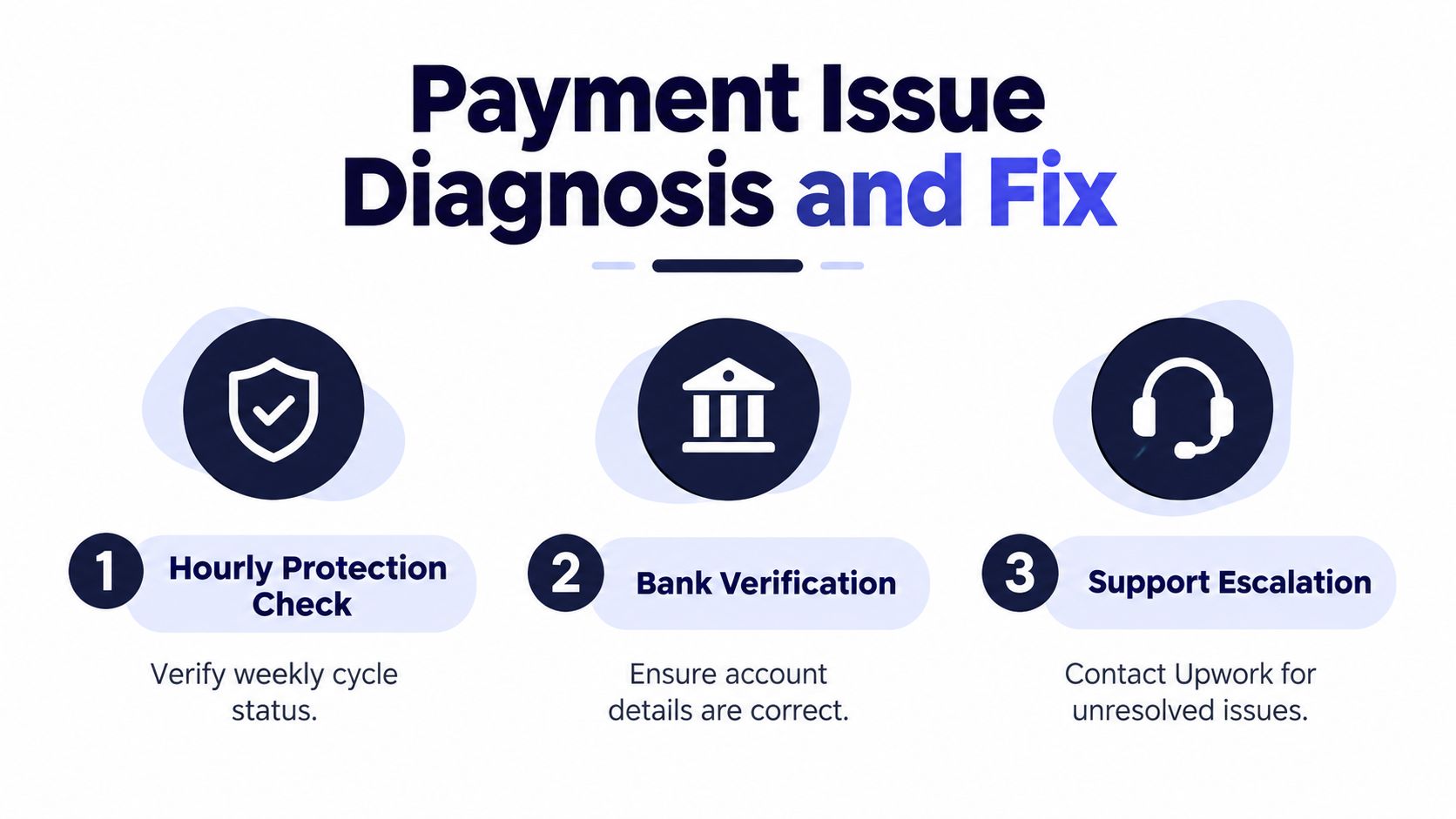
When an Upwork payment stalls, start with the cheapest explanation. Many delays come from an incorrect bank field, a missed review deadline, or a misunderstanding about when funds become available.
Diagnose the release stage first
Check the contract type and status before contacting support. For hourly work, confirm that the time was logged through the tracker, the weekly cycle has closed, and the client review period has passed. For fixed-price work, confirm that the milestone was funded and that the submission went through the correct workflow.
A client requesting revisions doesn't automatically release escrow. Keep the work inside the milestone, respond through Upwork, and wait for approval or the applicable automatic-release process.
Validate the withdrawal details
Incorrect beneficiary information can cause a failed transfer. Upwork may return the funds after deducting the original withdrawal fee, return fees, and possible provider penalties. For a missing Direct to Local Bank payment, Upwork advises waiting eight full business days after the withdrawal date before tracing it. Withdrawals also face a 12:00 PM UTC cutoff for same-day processing, so a request submitted late in your local afternoon may enter the next processing window.
Check the account holder name, routing details, supported transfer type, and currency. Don't assume a bank account that accepts ordinary deposits also supports every Upwork rail.
Practical rule: Never troubleshoot from memory. Compare the Upwork transaction details with the bank's exact beneficiary instructions, then contact support with the contract ID, transaction ID, and relevant screenshots.
Upwork's payment safety guidance provides additional context for keeping contracts and transfers inside the platform. Compliance reviews can take longer than ordinary payment fixes, so avoid creating duplicate withdrawal requests while one transaction is under investigation.
Building a Reliable Payout Routine
Predictable cash flow comes from treating payment administration as part of delivery, not as a task you remember after the client disappears. A short weekly routine can expose pending milestones, review deadlines, and bank problems before they become urgent.
Check the hourly report every Tuesday and Thursday, before the client review period closes. Release fixed-price milestones as soon as the work is delivered and approved instead of leaving completed work hidden in a pending state. If you need funds before the weekend, request the withdrawal no later than Wednesday, while allowing for the method-specific clearing window.
Keep a simple ledger with five fields: gross billing, Upwork service fees, other service charges, withdrawal fees, and net deposit. That record makes tax preparation easier and shows which payout rail is economical for your work pattern.
Friday control: Sweep pending milestones, pending hourly earnings, and pending withdrawals every Friday afternoon. Anything you can't explain should be investigated before it rolls into the next week.
For scheduled payments, Tuesday can be a sensible target after Friday has fully closed, provided the funds are available and your bank's processing window suits you. Keep a 20% buffer in your Upwork balance for refunds, disputes, or scope changes, rather than treating every cleared dollar as immediately available for personal spending.
If you manage several accounts, standardize bank-detail checks and method names across the team. The routine should work whether you bill hourly, deliver milestones, withdraw locally, or wait for a larger transfer that makes a fixed fee easier to absorb.
Earlybird AI helps freelancers and agencies manage Upwork prospecting by finding relevant jobs, preparing personalized proposals, replying to client messages, and supporting call booking from a connected account. If you want to spend less manual time filling the top of your pipeline while keeping payment administration organized, visit Earlybird AI to see how it fits your workflow.




