
← Back To Blog
What Is Automated Bidding

Automated bidding is software that uses algorithms to set bids or craft proposals automatically based on predicted success, instead of requiring manual entry for every job. In Google Ads, Smart Bidding can make decisions for every auction, while in an Upwork workflow, comparable automation can identify suitable projects and prepare outreach without making you inspect every listing yourself.
You may know the routine. You open Upwork, scan a long stream of new projects, reject most of them, study a few carefully, write proposals, and then check for replies between client calls. By the time you finish, fresh opportunities have already appeared and your best prospect may have received dozens of applications.
For freelancers and small agencies, automated bidding is not just about sending more proposals. It's a way to turn a reactive search process into a controlled sales workflow. The software filters opportunities, uses feedback to improve its choices, and leaves you with more time for judgment, delivery, and client conversations.
"The Morning Routine That Changes Everything"
At eight in the morning, Maya opens her laptop before she opens her project management app. She searches for new design jobs, reads each description, checks whether the budget makes sense, and writes a custom introduction. One promising listing takes ten minutes to assess. A weak listing still takes a minute to dismiss. By midmorning, she has done plenty of work, but she hasn't delivered anything for a paying client.
That pattern creates a hidden bottleneck. Manual bidding feels productive because every proposal is an action, yet the work consumes the hours that should support delivery, networking, and business development. The freelancer becomes the fastest reader of job posts rather than the owner of a repeatable acquisition system.

Automation changes the order of events. Instead of refreshing the feed and competing with every applicant, Maya defines the type of work she wants, the clients she can serve well, and the signals that make a project worth pursuing. Software can then watch for relevant opportunities, prepare a suitable proposal, and bring the strongest conversations to her attention.
The important shift is psychological as well as operational. You stop acting like an applicant waiting for a suitable listing and start operating like a business with a prospecting system. A system can work continuously, while your attention remains reserved for decisions that require context.
The real problem is not a lack of effort
Many freelancers already work hard. Their constraint is repetition. Reading similar project descriptions, checking the same criteria, and drafting similar opening paragraphs drains attention before the valuable conversation begins.
A sensible automated workflow handles the predictable parts while preserving a human review point for unusual projects, complex scopes, and high-value opportunities. It doesn't need to replace your expertise. It needs to stop wasting that expertise on low-fit listings.
Practical rule: Automate the search and preparation work first. Keep commercial judgment, scope clarification, and relationship building firmly in human hands.
"Understanding the Core Concept of Automation"
The simplest answer to what is automated bidding is this: software receives a goal, evaluates available opportunities, and makes individual bid decisions according to predicted outcomes and defined constraints. In advertising, Google describes Smart Bidding as optimizing for conversions or conversion value across every ad auction, using contextual and historical signals such as device, location, time, browser, operating system, language, search query, and previous conversion performance. Google's explanation of Smart Bidding also describes systems that can set millions of unique bids every second across campaigns.
An Upwork proposal workflow applies the same underlying logic to a different environment. The “auction” is a new project opportunity. The “bid” is your proposal, rate, positioning, and timing. The software asks whether the project matches your service, whether the client appears suitable, and whether your past results support pursuing a similar opportunity.
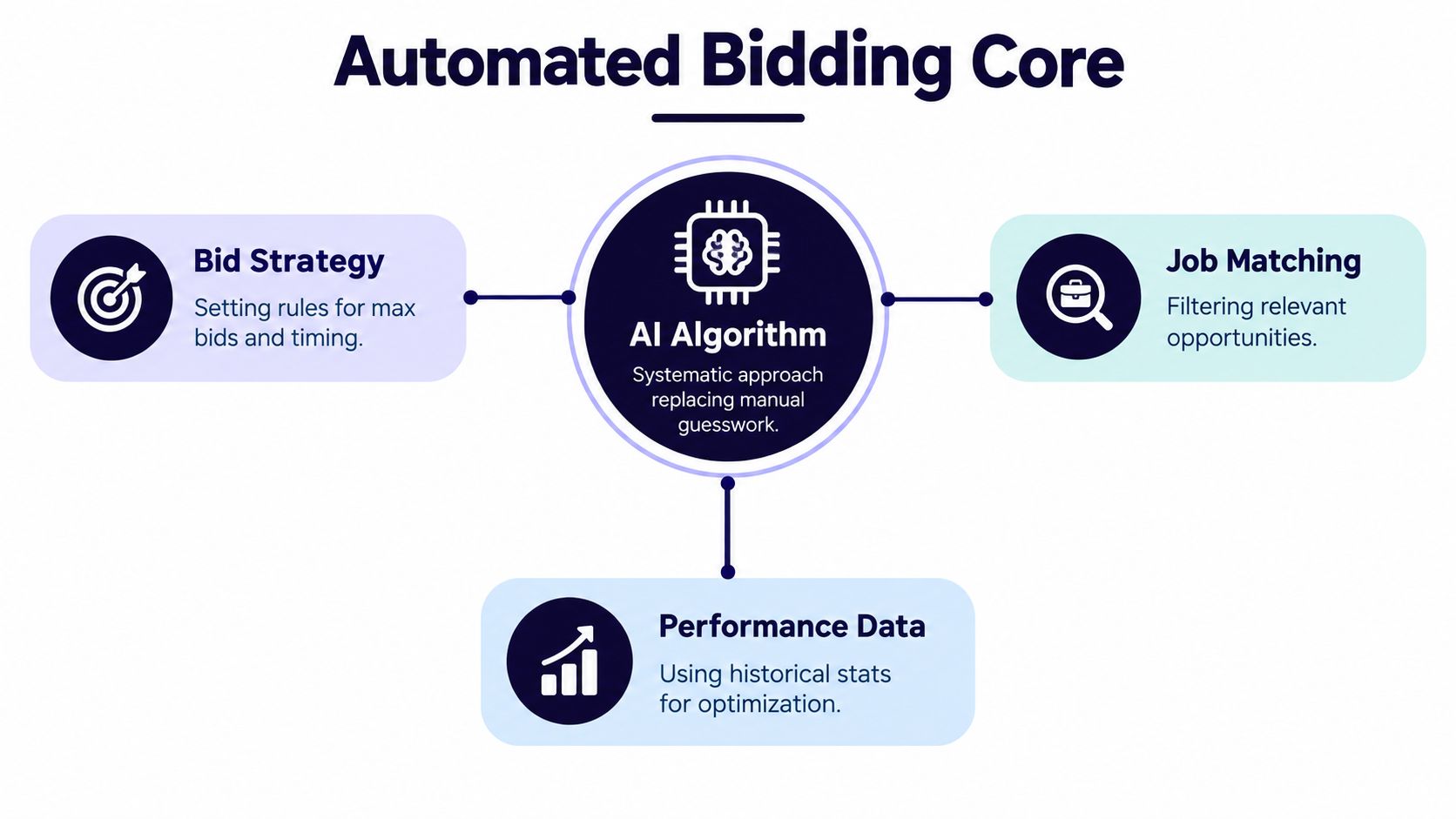
Manual judgment versus algorithmic filtering
A person can make nuanced decisions, but a person can't inspect every opportunity with equal speed and consistency. Software can apply the same criteria repeatedly, compare each new listing with prior outcomes, and prioritize work that fits your stated commercial goals.
That doesn't mean the algorithm “knows” your business automatically. It only optimizes toward the information you provide. If you ask it to seek any project containing a keyword, it may find volume without fit. If you define service type, client profile, budget preference, project scope, and exclusions, the filter becomes more useful.
Google's broader material describes automated bidding as a move from periodic manual adjustments to real-time opportunity-level decisions. The same principle explains why automation can improve proposal workflows. It lets software act on fresh opportunities while they're still relevant, rather than waiting for a freelancer's next available review session.
For a broader explanation of how automation removes repetitive sales tasks, see this guide to sales automation. For paid acquisition context, improve Google Ads performance offers a useful comparison between manual controls and algorithmic optimization.
The distinction matters: automated bidding isn't random submission. It's structured prioritization. The system should reject poor matches, focus effort where the expected value is stronger, and use feedback to refine later decisions.
"How the Bidding Algorithm Learns Your Preferences"
A useful system learns from outcomes, not just instructions. Your initial settings might identify broad preferences, such as “technical SEO projects for established businesses,” but those rules won't capture every detail that separates a good opportunity from a costly distraction.
The learning process usually starts with feedback. When you approve or reject suggested projects, the system receives a signal about your preferences. When a proposal earns a reply, an interview, or a hire, the outcome becomes more informative than a simple keyword match.
A practical learning loop
Define the starting profile. Specify your services, preferred industries, project types, budget boundaries, and reasons to reject a job. This gives the system a usable starting point instead of asking it to infer everything from scratch.
Review early recommendations. Approve strong matches and reject weak ones. A rejection is useful when it has a clear reason, such as an unsuitable scope, poor budget fit, or service outside your expertise.
Connect actions to outcomes. A submitted proposal is not the final measure. Replies, interviews, hires, project quality, and client retention tell you whether the original selection was commercially sound.
Refine the decision rules. If the system repeatedly selects projects that receive attention but never become qualified conversations, adjust the criteria. If certain industries produce strong engagements, make those patterns more important.
This is a feedback loop, not a magic trick. The model can identify patterns in the projects you pursue and the results that follow, but it can't understand an unrecorded preference. If you care about client communication, project complexity, or long-term value, include those factors in your review process.
The same logic appears in automated lead scoring. A resource on how to qualify hot leads automatically can help clarify the difference between a contact that matches surface criteria and a prospect that deserves attention. For teams that want to connect performance information across decisions, automated business intelligence provides useful context.
The strongest automation doesn't remove your preferences. It turns repeated preferences into a system that can apply them consistently.
Over time, the benefit is precision. The tool should spend less effort on generic opportunities and more effort on projects that resemble the work you can win and deliver profitably.
"Benefits and Risks You Must Evaluate"
Automated bidding creates a trade-off between speed and control. Manual outreach gives you direct ownership of every decision, but it limits how many opportunities you can evaluate. Automation expands coverage, but it can also repeat a bad assumption faster.

The clearest benefit is responsiveness. Software can detect a suitable listing soon after it appears, prepare a proposal while the opportunity is fresh, and keep your pipeline active even when you're busy with client work. It can also reveal which project categories attract replies and which ones consume proposal effort without producing meaningful conversations.
Where automation helps
- Faster opportunity review: A system can filter listings before you spend time reading every description.
- More consistent qualification: Your core rules are applied repeatedly instead of changing with fatigue or workload.
- Better operational visibility: Performance data can show where your proposals receive attention and where your targeting needs adjustment.
- More capacity for delivery: Removing repetitive prospecting gives you more time for paid work and client communication.
The risks sit on the other side of the same strengths. A template that works for one project may sound irrelevant on another. A broad filter can increase activity while lowering relevance. A system that optimizes for submitted proposals may look busy without improving qualified conversations.
Google's guidance makes the underlying issue clear. While automated systems increase volume and speed, algorithms must be calibrated carefully because optimizing for incomplete goals can create high activity with low business value. Google's conversion measurement guidance supports the practical lesson: track the quality of the outcome, not only the visible action.
The commercial version of that lesson is simple. Don't judge a proposal system only by how many applications it sends. Review reply quality, interview fit, client value, delivery feasibility, and the time your team spends handling weak leads.
A careful budgeting process also matters. If you're comparing automation costs with sales effort, a marketing spend optimization guide can provide a useful framework for separating productive acquisition from activity that merely increases volume.
The right model is not “automate everything” or “do everything manually.” Use software for speed, filtering, and pattern recognition. Keep people responsible for sensitive messaging, scope judgment, pricing exceptions, and decisions that could affect your reputation.
"Compliance and Account Safety Considerations"
Automation on Upwork should support legitimate account activity, not imitate uncontrolled spam. Before connecting any tool, review the platform's current rules, the tool's access model, and the actions it performs on your behalf. Platform policies can change, so don't treat a vendor's safety claims as a substitute for your own review.
A safer operating model keeps a human involved at meaningful points. You might automate discovery and draft preparation, then review the proposal before submission. You might allow suggested replies for routine questions while handling negotiations, contract terms, and sensitive client concerns yourself.

A safety-first checklist
- Confirm permitted activity: Read the current Upwork terms and avoid features that create misleading, abusive, or indiscriminate behavior.
- Protect account access: Prefer tools that don't require unnecessary password storage and understand exactly how authorization works.
- Preserve human review: Check proposals for accuracy, relevance, tone, and promises before they represent your business.
- Control submission volume: Set clear limits and pause rules so a targeting mistake doesn't produce a stream of poor applications.
- Audit unusual results: Investigate sudden changes in project relevance, message quality, or account behavior instead of allowing the system to continue unchecked.
Regional consistency and realistic timing can matter for trust, but no technical setting guarantees compliance. Account safety comes from the combined behavior of the freelancer, the software, and the operating process.
Human oversight isn't a brake on automation. It's the control that keeps automation aligned with your reputation.
The strongest long-term setup treats automated bidding as an assistant with defined permissions. It can gather information, prioritize work, and prepare drafts. You remain accountable for what gets sent and how the client experience unfolds.
"Key Performance Metrics to Track"
A proposal system becomes useful when you measure the path from opportunity to business outcome. Counting submissions alone can reward the wrong behavior. A high volume of applications may indicate efficient automation, or it may indicate that your filters are too broad.
Start with the top of the workflow. Track how many suggested projects you approve, how often you submit proposals, and how quickly you respond when a client engages. These measures show whether the system is finding opportunities that fit your operating rhythm.
Metrics that connect activity to revenue
Proposal acceptance rate tells you whether clients are opening a meaningful conversation. A low rate can indicate weak positioning, poor project fit, or generic copy.
Time to reply measures how quickly you move after a client responds. Speed matters, but relevance matters too. A rapid answer that ignores the client's actual question can reduce trust.
Viewed-to-hired conversion connects attention with a commercial result. If clients view proposals but don't move forward, examine your offer, proof, pricing, and qualification criteria rather than only increasing submissions.
Average project budget helps distinguish high-value opportunities from low-effort inquiries. Pair it with delivery time and margin, because a larger project isn't automatically a better project.
Lead quality after the handoff captures what platform metrics miss. Record whether the client had a clear brief, realistic expectations, workable communication, and a scope your team could deliver profitably.
For agencies, review these measures by freelancer, service line, and project category. A dashboard can expose a valuable pattern: one niche may produce fewer replies but stronger hires, while another generates attention without suitable work. Performance dashboard examples can help you think about how to organize that information.
Your review cadence should also include negative signals. Track rejected jobs that the system recommended, conversations that stalled, and projects that created avoidable delivery problems. Those outcomes can improve the rules more effectively than celebrating raw activity.
A practical optimization loop looks like this:
- Compare approved opportunities with qualified replies.
- Compare qualified replies with interviews and hires.
- Compare hires with project quality and commercial value.
- Update filters, proposal guidance, and review rules.
- Keep a stable baseline so you can tell whether a change helped.
Earlybird AI is an Upwork automation platform that searches saved job criteria, identifies relevant postings, generates personalized proposals, and helps manage client replies, with analytics and multi-user workflows for agencies. If you want to evaluate how that type of system could fit your process, visit Earlybird AI and review the workflow against your own safety rules and performance metrics.




